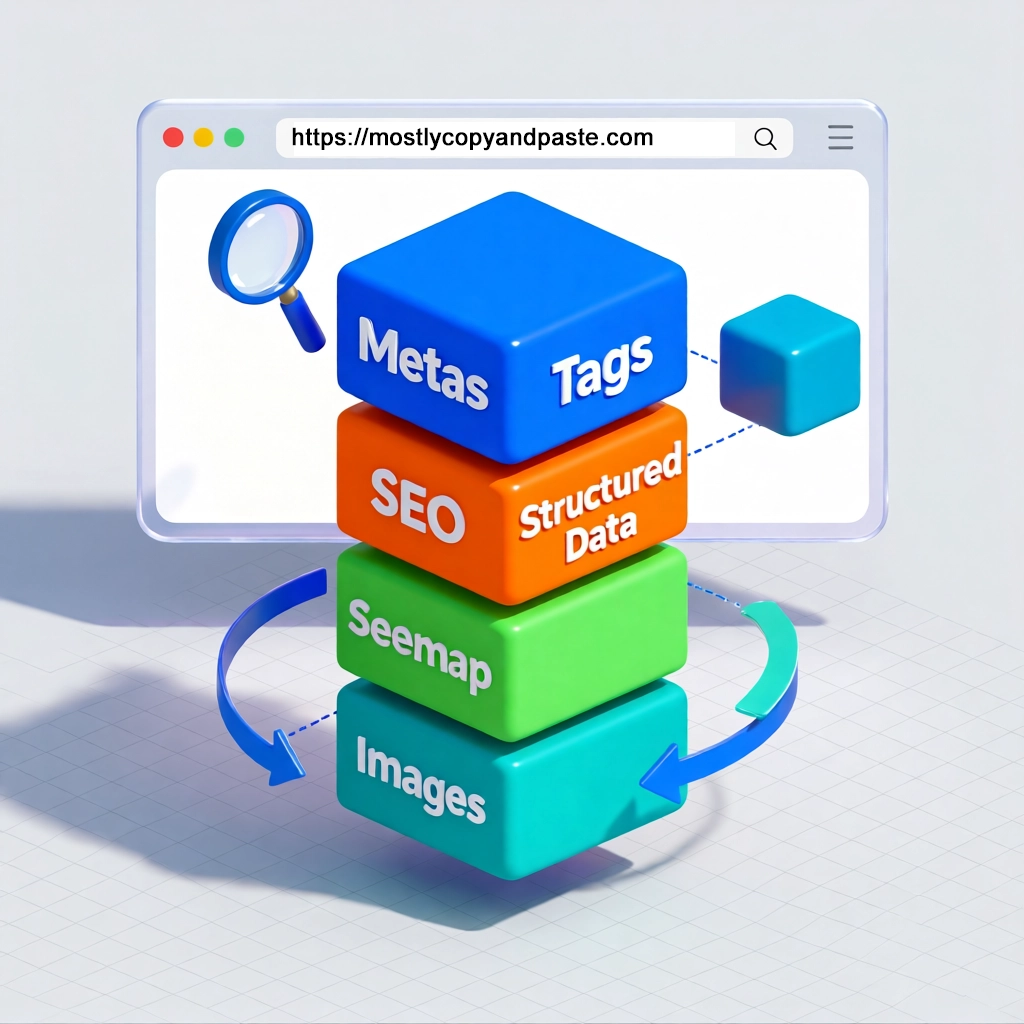
I recently overhauled the SEO infrastructure for this site, implementing a comprehensive set of 2024-2025 best practices. The results? Better search visibility, richer search result previews, and improved user experience. Here’s what I learned and how you can implement these enhancements for your own site.
Why SEO Still Matters in 2025
Search engines remain the primary discovery mechanism for blog content. While social media drives traffic, organic search provides consistent, long-term visibility. Modern SEO isn’t about keyword stuffing—it’s about helping search engines understand your content structure and context.
The key shift in recent years: structured data has become essential, not optional. Search engines want explicit signals about what your content represents, how it’s organized, and what value it provides to users.
The SEO Enhancement Stack
Here’s what I implemented, roughly in order of impact:
- Enhanced Meta Tags - OG images with dimensions, theme colors, language signals
- Structured Data Schemas - Organization, FAQ, HowTo, and Article schemas
- Dynamic Sitemap - Smart priority scoring based on content freshness
- Image Optimization - WebP processing with responsive srcsets
- Breadcrumb Navigation - Both visual UI and structured data
- Last Modified Signals - Freshness indicators for search engines
Let’s dive into each.
1. Enhanced Meta Tags: Beyond the Basics
Most sites get the basics right: title, description, and Open Graph image. But there are several modern enhancements that improve how your content appears across platforms:
Open Graph Image Dimensions
<meta property="og:image:width" content="1200" />
<meta property="og:image:height" content="630" />
Open Graph protocol: Explicitly declaring image dimensions helps social platforms render previews faster and prevents layout shifts. The standard 1200×630px ratio works across all major platforms (Twitter, LinkedIn, Facebook, Slack).
Theme Color
<meta name="theme-color" content="#1a1a1a" media="(prefers-color-scheme: dark)" />
<meta name="theme-color" content="#ffffff" media="(prefers-color-scheme: light)" />
This colors the browser’s UI to match your site theme on mobile. Small detail, but it makes your site feel polished and professional.
Language Signals
<link rel="alternate" hreflang="en" href="https://yoursite.com/article/" />
<link rel="alternate" hreflang="x-default" href="https://yoursite.com/article/" />
Even for single-language sites, the x-default hreflang signals to search engines which version to show users when their language preference doesn’t match available translations.
2. Structured Data: The Real SEO Game-Changer
Structured Data is where modern SEO separates amateurs from professionals. It’s JSON-LD markup that explicitly tells search engines what your content represents.
Organization Schema
Every site should have Organization schema on the homepage:
{
  "@context": "https://schema.org",
  "@type": "Organization",
  "name": "Your Site Name",
  "url": "https://yoursite.com",
  "logo": "https://yoursite.com/logo.png",
  "sameAs": [
    "https://twitter.com/yourhandle",
    "https://github.com/yourhandle"
  ]
}
This creates a knowledge graph entry for your site, linking your social profiles and establishing brand identity.
Article Schema
For blog posts, Article schema is essential:
{
  "@context": "https://schema.org",
  "@type": "BlogPosting",
  "headline": "Article Title",
  "image": "https://yoursite.com/featured-image.jpg",
  "datePublished": "2025-01-07T10:00:00-08:00",
  "dateModified": "2025-01-07T10:00:00-08:00",
  "author": {
    "@type": "Person",
    "name": "Author Name"
  },
  "publisher": {
    "@type": "Organization",
    "name": "Your Site",
    "logo": {
      "@type": "ImageObject",
      "url": "https://yoursite.com/logo.png"
    }
  }
}
FAQ Schema
For articles with clear questions and answers, FAQ schema enables rich snippets:
{
  "@context": "https://schema.org",
  "@type": "FAQPage",
  "mainEntity": [
    {
      "@type": "Question",
      "name": "What is structured data?",
      "acceptedAnswer": {
        "@type": "Answer",
        "text": "Structured data is..."
      }
    }
  ]
}
Pro tip: You don’t need a dedicated FAQ section. Any article with clear Q&A patterns can use this schema.
HowTo Schema
Tutorial content benefits from HowTo schema:
{
  "@context": "https://schema.org",
  "@type": "HowTo",
  "name": "How to Implement SEO Enhancements",
  "step": [
    {
      "@type": "HowToStep",
      "name": "Add Meta Tags",
      "text": "Update your HTML head with enhanced meta tags..."
    }
  ]
}
3. Dynamic Sitemap with Smart Priorities
Static sitemaps with hardcoded priorities miss an opportunity. Content freshness matters, so your sitemap should reflect it. We use Dynamic Sitemaps.
Here’s the priority scoring I implemented:
- Homepage: 1.0 (always highest)
- Recent articles (<30 days): 0.9
- Regular articles: 0.8
- Category pages: 0.6
- Tag pages: 0.4
For Hugo sites, you can implement this in a custom sitemap.xml template:
{{- $now := now -}}
{{- range .Data.Pages -}}
  {{- $priority := 0.5 -}}
  {{- if eq .RelPermalink "/" -}}
    {{- $priority = 1.0 -}}
  {{- else if eq .Type "articles" -}}
    {{- $daysSincePublished := div ($now.Sub .PublishDate).Hours 24 -}}
    {{- if lt $daysSincePublished 30 -}}
      {{- $priority = 0.9 -}}
    {{- else -}}
      {{- $priority = 0.8 -}}
    {{- end -}}
  {{- else if eq .Kind "taxonomy" -}}
    {{- $priority = 0.6 -}}
  {{- end -}}
  <url>
    <loc>{{ .Permalink }}</loc>
    <lastmod>{{ .Lastmod.Format "2006-01-02" }}</lastmod>
    <priority>{{ $priority }}</priority>
  </url>
{{- end -}}
This signals to search engines which content is fresh and most valuable.
4. Image Optimization: WebP + Responsive Images
Images are often the biggest performance bottleneck. Modern best practices require:
- WebP format for 25-35% smaller file sizes
- Responsive srcsets for different screen sizes
- Explicit width/height to prevent layout shift
For Hugo sites, you can use image processing to generate WebP and srcsets:
{{- $image := resources.Get .Get "src" -}}
{{- $webp := $image.Resize "1600x webp" -}}
{{- $webpSmall := $image.Resize "800x webp" -}}

<img
  srcset="{{ $webpSmall.RelPermalink }} 800w,
          {{ $webp.RelPermalink }} 1600w"
  sizes="(max-width: 800px) 100vw, 1600px"
  src="{{ $webp.RelPermalink }}"
  width="{{ $webp.Width }}"
  height="{{ $webp.Height }}"
  alt="{{ .Get "alt" }}"
  loading="lazy"
/>
Static site generators: Most modern SSGs (Hugo, Eleventy, Astro) have built-in image optimization. Use it.
CMS platforms: WordPress has built-in WebP support as of 5.8. Enable it in Settings → Media.
5. Breadcrumb Navigation
Breadcrumbs serve dual purposes:
- UX: Help users understand site hierarchy
- SEO: Create breadcrumb rich results in search
{
  "@context": "https://schema.org",
  "@type": "BreadcrumbList",
  "itemListElement": [
    {
      "@type": "ListItem",
      "position": 1,
      "name": "Home",
      "item": "https://yoursite.com"
    },
    {
      "@type": "ListItem",
      "position": 2,
      "name": "Web Development",
      "item": "https://yoursite.com/articles/web-development"
    }
  ]
}
The visual breadcrumb in your UI should match the structured data.
6. Last Modified Dates
Search engines value content freshness. Display and markup last-modified dates:
<time datetime="2025-01-07T10:00:00-08:00">
  Last updated: January 7, 2025
</time>
Update the dateModified field in your Article schema whenever you make significant content changes.
Measuring Impact: Where to Look in Google Analytics
Want to see if these enhancements are working? Here’s where to check in Google Analytics 4 (GA4):
1. Organic Search Traffic
Reports → Acquisition → Traffic acquisition
- Filter by “Organic Search” to see if your traffic is growing
- Compare periods before/after implementing changes
2. Engagement Metrics
Reports → Engagement → Pages and screens
- Look at “Average engagement time” and “Views” per page
- Better search result previews (from structured data) should improve engagement
3. Search Console Integration
Link Google Search Console to GA4, then check: Reports → Acquisition → Google Search Console queries
- Monitor “Clicks” and “Impressions” trends
- Track which queries are improving
4. Rich Results
In Google Search Console (separate from GA4):
- Enhancements section shows FAQ, HowTo, and Breadcrumb status
- Check for errors or warnings in your structured data
5. Core Web Vitals
Reports → Engagement → Events → Filter for “web-vitals” Or check Search Console → Core Web Vitals report
- LCP (Largest Contentful Paint) should improve with image optimization
- CLS (Cumulative Layout Shift) should improve with proper image dimensions
Timeline: Give it 2-4 weeks after implementing changes before expecting measurable results. Search engines need time to recrawl your site.
Implementation Checklist
Ready to implement these on your own site? Here’s your action plan:
Phase 1: Foundation (1-2 hours)
- Add enhanced meta tags (OG dimensions, theme-color)
- Implement Organization schema on homepage
- Add Article schema to blog posts
- Set up Google Search Console and GA4 integration
Phase 2: Content-Specific (2-4 hours)
- Add FAQ schema to appropriate articles
- Add HowTo schema to tutorials
- Implement breadcrumb navigation (visual + structured data)
- Add last-modified date display
Phase 3: Performance (2-3 hours)
- Set up image optimization (WebP, srcsets)
- Create dynamic sitemap with priority scoring
- Audit Core Web Vitals and address issues
Phase 4: Validation (30 minutes)
- Test with Google Rich Results Test
- Validate sitemap in Search Console
- Check structured data with Schema Markup Validator
Common Pitfalls to Avoid
Mismatched structured data: Your FAQ schema must match actual FAQs in the visible content. Search engines will penalize mismatches.
Over-optimization: Don’t add structured data to every page type. Focus on content that genuinely fits the schema.
Ignoring mobile: Test all enhancements on mobile. Most search traffic comes from phones.
Forgetting to update sitemaps: After adding new content types or categories, regenerate and resubmit your sitemap.
Not monitoring Search Console: Structured data errors are common. Check weekly for warnings.
Hugo-Specific Tips
If you’re using Hugo (like this site):
Use partials for schemas: Create
layouts/partials/schema-article.htmlfor reusable structured data.Leverage page parameters: Add frontmatter fields like
hasFAQ: trueandfaqItemsto control which schemas appear.Image processing: Hugo Extended has built-in WebP support. Use it instead of pre-processing images.
Custom sitemap template: Override
layouts/sitemap.xmlto implement dynamic priorities.Shortcodes for responsive images: Create a
Resources and Tools
Testing Tools:
Schema Documentation:
- Schema.org - Official schema reference
- Google Search Central - Google’s structured data guide
Hugo Resources:
- Hugo Image Processing
- Hugo Custom Output Formats (for sitemaps)
Conclusion
Modern SEO is less about gaming algorithms and more about providing explicit, structured information that helps search engines understand and present your content effectively. The enhancements covered here—structured data, optimized images, dynamic sitemaps, and enhanced meta tags—form the foundation of a well-optimized site in 2025.
Start with the basics (meta tags and Article schema), validate your changes with Google’s testing tools, and incrementally add more advanced features. Monitor your Search Console data to see what’s working, and adjust accordingly.
The web rewards sites that make search engines’ jobs easier. These enhancements do exactly that.
What SEO enhancements have you implemented on your site? Any questions about structured data or performance optimization? Let me know in the comments below.

Comments