How to Test Batteries with a Voltmeter: A Quick DIY Guide
Learn how to quickly test household batteries with a voltmeter to save money and reduce waste. Simple step-by-step guide with voltage reference chart and troubleshooting tips.
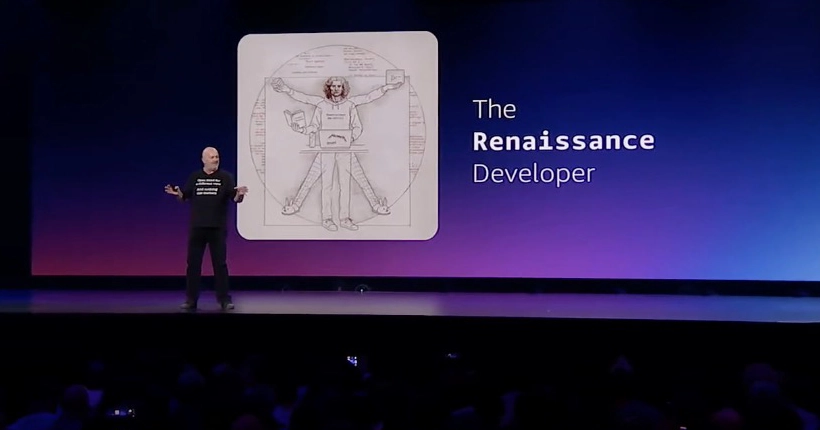
Day 3 of AWS re:Invent 2025 brings Graviton5 (192 cores), Lambda Managed Instances, and Werner Vogels’ final closing keynote introducing the ‘Renaissance Developer’ framework—5 principles for developers thriving alongside AI.
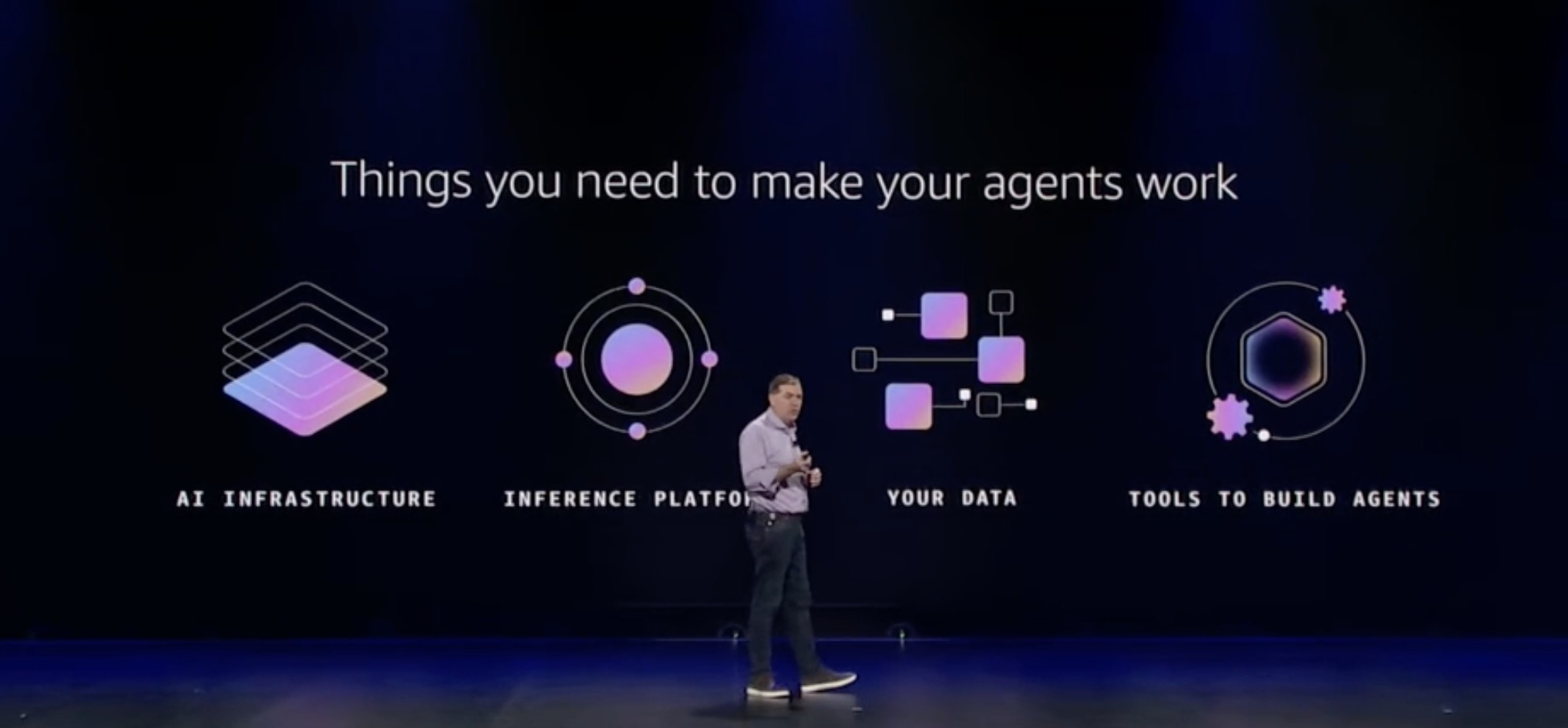
Day 2 of AWS re:Invent 2025 focuses on Agentic AI with Dr. Swami’s keynote announcing Strands SDK, Bedrock Reinforcement Fine Tuning, SageMaker HyperPod improvements, plus deep dives into AWS’s secret security systems and CloudFront flat-rate pricing.
Day 1 of AWS re:Invent 2025 kicks off with Matt Garman’s CEO keynote announcing Trainium3 UltraServers, Amazon Bedrock AgentCore, Nova 2 foundation models, and a clear vision: billions of AI agents powering the future of development.
Complete coverage of AWS re:Invent 2025 in Las Vegas—the year AWS went all-in on agentic AI. Key announcements include Trainium3 UltraServers, Graviton5, Amazon Bedrock AgentCore, Lambda Managed Instances, Kiro Powers, and Werner Vogels’ ‘Renaissance Developer’ framework.
Complete troubleshooting guide for Apple Mail on Mac, iPhone, and iPad. Fix stuck messages, sync issues, and performance problems on macOS Ventura, Sonoma, and Sequoia.
Deploy production-ready MongoDB on Kubernetes with StatefulSets, operators, automated backups, and cloud-native reliability patterns. Master the techniques that power modern database infrastructure.
A humorous and dramatic guide to troubleshooting Linux servers in production. When everything is on fire and Slack is blowing up, here’s your survival guide for the first 10 minutes of incident response. Or: How I Learned to Stop Panicking and Love the Command Line.
Build production-ready MongoDB systems with replica sets for high availability, sharding for horizontal scale, comprehensive security hardening, and role-based access control. Master the techniques that keep databases reliable and secure.
Master MongoDB operations with comprehensive monitoring strategies, performance tuning techniques, and index optimization best practices. Learn to identify bottlenecks, optimize queries, and maintain high-performance production databases.
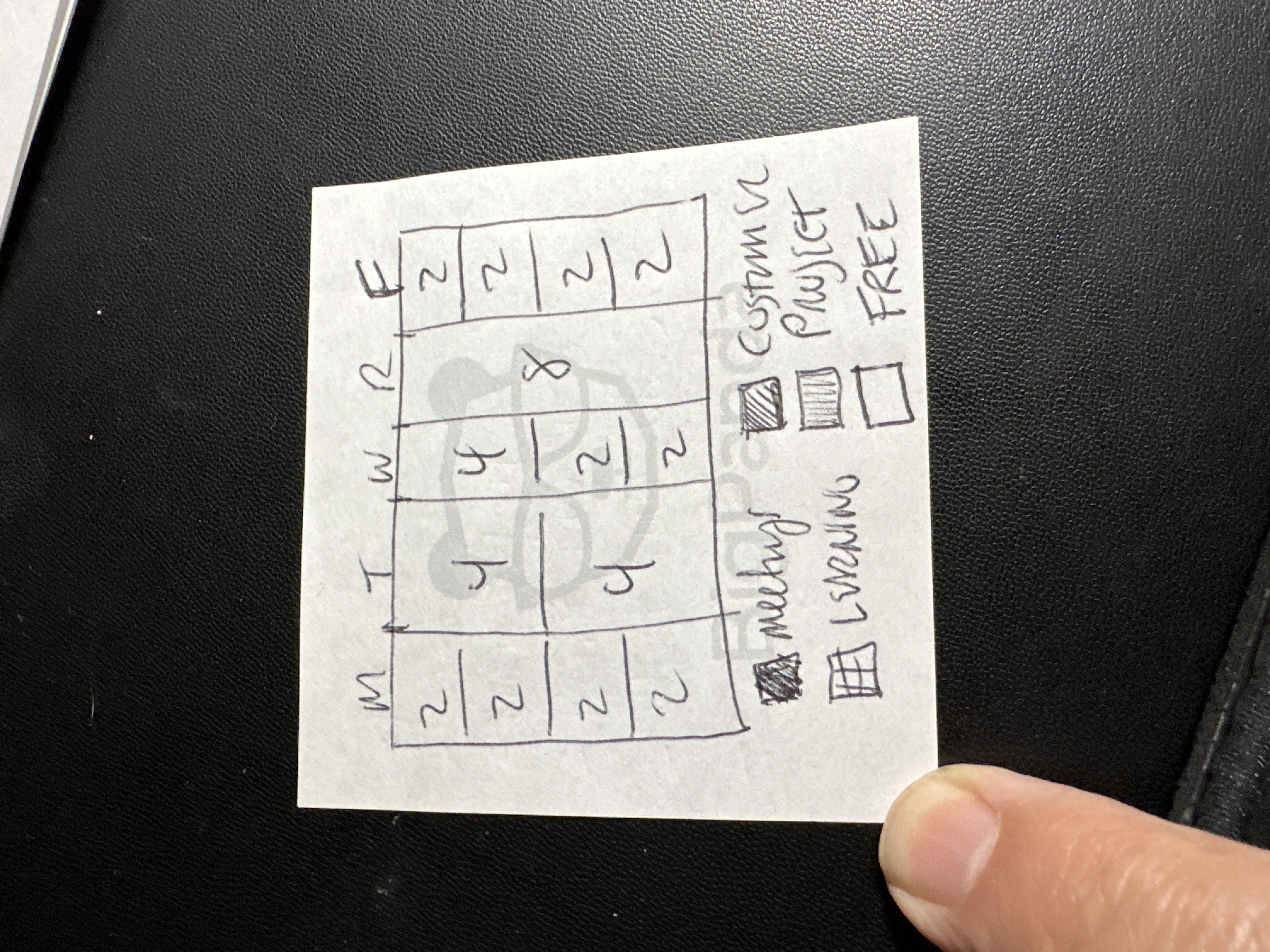
A practical framework for managers to divide their 40-hour work week into five equal 20% allocations, balancing operational work, strategic thinking, relationship building, and personal development.
A deep dive into what organizational culture really means, why it matters, and how to build high-performance cultures that drive engagement and results.
A comprehensive 8-step learning path for junior Site Reliability Engineers, from foundational scripting to production infrastructure management with Terraform and Kubernetes.
JWT basics illustrated and explained.
AWS re:Invent 2024, held in Las Vegas from December 2nd to 6th, brought the cloud computing world together for a week of groundbreaking announcements and insightful sessions. Under new CEO Matt Garman leadership, AWS unveiled a wave of innovations across compute, storage, databases, generative AI, and data analytics.
AWS Innovate is an online conference hosted by AWS designed to inspire and educate executives and IT professionals. You can learn to build and scale generative AI applications with security, privacy, and responsible AI built in from day one. Access leading foundation models, customize with your own data, and use the leading security, access control, and features you trust from AWS.
An update to my 2021 post on getting the most out of your Slack application in the least amount of time.
AWS re:Invent 2023 is a learning conference hosted by AWS for the global cloud computing community. The in-person event features keynote announcements, training and certification opportunities, access to 2,000+ technical sessions, the Expo, after-hours events, and so much more. These are notes I’ve compiled from the conference.
Simplify Your Twitter Search: Tips and Tricks
cccc
Amazon’s Echo Show devices are powerful video player. Use your voice to play movies, videos, or TV shows from Prime Video, Netflix, Hulu and other supported streaming services.
Amazon’s Echo devices can do so much more these days. This is the first of a series of articles to help you discover and get the most out of these powerful devices.

A productivity lightning talk on getting the most out of Slack.
I've finally found a solution to the vacuum created when my favorite RSS reader got the axe (RIP Google Reader). I loved being able to quickly browse through the headlines of my favorite blogs and news sites. For the past couple of years I've been depending mainly on Twitter our Medium notifications when someone posts something new but unless I'm actively looking I'll miss most things. Recently I discovered that Slack has an integration that allows you to subscribe to an RSS or Atom feed URL and receive updates in a Slack channel.
I use multiple Mac workstations to manage all my systems and services
(AWS infrastructure, Kubernetes) so it is a challenge to manage the
keys and credentials needed to access those systems. YADM (Yet Another Dotfiles Manager) \<https://thelocehiliosan.github.io/yadm/\>__ does
a great job of managing this files and storing them in a git repository
but I wasn't comfortable hosting that repository on a public facing
service (Github or Gitlab) so I took advantage of Keybase's private
encrypted git repo
feature.
I've had this blog for the past 13 years in some form or another. Its
lived under a few different domains (crackmac.com, uphonic.com,
kevinduane.com) and it's fun to look back at some of the old and out of
date posts like the very first in 2003 on setting up an OSX server from scratch \<http://mostlycopyandpaste.com/2003/07/01/setting-up-a-os-x-system-from-scratch/\>__.
I haven't had much time the past 5 years since joining the Disney
Systems
Engineering
group and raising a young family but it's time to start some new
habits.
The Get Down is a Netflix miniseries about a group of kids in the Bronx New York during that summer of 1977 when Disco was dying and Hip Hop/Rap was being born. Life was hard in NYC in the '70s. The Bronx was burning and you had to hustle to survive.
Systems Operations is not like dodging bullets in the boogie down but you do need to be street smart and hustle to survive. Urban decay, absentee landlords, abandoned buildings are synonymous to technical debt, out of date legacy systems, and orphaned applications and tools. You don't learn in school about containerization, cutting edge automation and working with your crew. You learn those things by busting your ass, doing your work and keeping your eyes and ears open.
Not like the spitting up green pea soup exorcism but Exercism.io, one of many great resources for learning programming languages by solving actual problems. Similar to Ruby Koans, you are given a programming problem to solve and a set of unit tests. Your challenge is to make all the tests pass by writing code (ala TDD). As you write your code and run your tests you may be given hints leading towards a solution or you may have to just figure it out on your own. Once all your tests are passing, you publish your code to the Exercism site where others can review and you can see other people's solutions for the same problems. I've learned more by reviewing other people's code than all the books and blog posts I've read.
I was 16 years old in 1983 when my high school physics teacher, Rocky Trembly, carried a little white box into the classroom. He fired it up and the dark screen lit up and said, "Hello." I didn't know it at the time but that moment turned out to be the cornerstone to a lifetime of exploration and discovery. Throughout my life I've earned a living as a art director, writer, technology manager, web master and systems engineer and none of it would have been possible or probable without that single moment. Now as the screen goes dark I'd like to say thank you to Steve (and Rocky) for making my world and the whole world a better more different place. "Goodbye"
via Make: Online | Why Every Maker Should Learn Chinese.
Nǐ hǎo 你好! Permanently on my desk, and everywhere I go is an iPad/iPhone app called Pleco, which has my custom flash cards that I use to quiz myself about 300 Chinese (Mandarin) characters. I’m getting pretty good with the help of a weekly instructor found via Craigslist, daily walks through Chinatown in NYC, and a website called Memrise. In less than a month I’ve been able to specifically translate (a lot of) the data sheets for products I’m sampling/purchasing for my job at Adafruit Industries, and for fun/downtime I’m translating some of the Chinese graffiti in Blade Runner (I always wanted to know what they said).
When all you have is a hammer, everything looks like a nail. Thats as true for Web servers as it is for work around the house. This overview explains the pluses and minuses of the obvious candidates — IIS and Apache — and suggests a few alternatives worth exploring.
Not everything is best suited for the cloud. I've used Evernote for a few years and always thought their performance was impressive.
http://blog.evernote.com/tech/2011/05/17/architectural-digest/#
Take aways:
freemium model \<http://www.fastcompany.com/magazine/147/next-tech-remember-the-money.html\>__,
based on the idea from their CEO: *The easiest way to get 1 million
people paying is to get 1 billion people using. *Evernote is designed
to become profitable at a 1% conversion rate.*A great article and simple way to take advantage os Amazon's Elastic Beanstalk service even if you don't work in Java. I'm working on integrating this approach with Eclipse's AWS Toolkit to access all the server management tasks close to my code. I'l post and update if it turns ugly.
via
PHP on AWS Elastic Beanstalk \| Cameron Stokes's Blog \<http://cameronstokes.com/2011/01/20/php-on-aws-elastic-beanstalk/\>__.
While Amazon claims they’re working on other platforms, initially Beanstalk only supports Java applications deployed in the Apache Tomcat 6 container. However…using Quercus, a “100% Java implementation of PHP 5″ from Caucho, we can run PHP using AWS Elastic Beanstalk. All it takes is setting up a simple Maven project.
I've been doing a lot of Python work lately to manage a butt-load of Linux servers and I've been using the Fabric Library to help me connect remotely and securely. I had some problems getting the library and dependencies to install on my Mac laptop so here is what I did. Add a reply if there is an easier way.
> sudo easy_install pip # PIP is recommended for installation
> sudo -s # Creates a new sudo shell
> export ARCHFLAGS="-arch i386 -arch x86_64" # Need to set some GCC flags
> pip install fabric # Get the install on
Props go to these guys and stackoverflow for helping out.
http://dev.chromium.org/spdy/spdy-whitepaper
The SPDY project defines and implements an application-layer protocol for the web which greatly reduces latency. The high-level goals for SPDY are:
| * To target a 50% reduction in page load time. Our preliminary results have come close to this target (see below). | * To minimize deployment complexity. SPDY uses TCP as the underlying transport layer, so requires no changes to existing networking infrastructure. | * To avoid the need for any changes to content by website authors. The only changes required to support SPDY are in the client user agent and web server applications. | * To bring together like-minded parties interested in exploring protocols as a way of solving the latency problem. We hope to develop this new protocol in partnership with the open-source community and industry specialists.
I'm always looking for better ways to find the disk hogs... there are a ton of one liners and tools but this is the first time I've heard of "ducks". Thanks A.P!
Where has the space gone?
Although time consuming, the following procedure can be used to track down where your space has been used.
cd /
du -s *
(Some folks like to use "du -cks *", which is easy to remember as "ducks".)
System Administrators SAs need a set of tools with which to manage their often unmanageable systems and environments. These ten essential Linux administration tools provide excellent support for the weary SA. Those listed aren’t your standard list of tools deemed essential by industry bystanders. These are tools that have proven track records and have stood the test of time in the data center.
Read on for the list.
Here is an excellent article on the merits, install and use of NGINX and PHP
NGINX + PHP-FPM + APC = Awesome
Online infrastructure for your small business doesn’t have to be complicated or expensive. By leveraging many of the free and inexpensive products offered by Google, you can create a website, a domain-branded e-mail system, and a document collaboration platform, all unified under one master login and password.
Once all of the virtual wires are connected, these services are extremely user-friendly, allowing anyone with a bit of web savvy to become the “system administrator” for their office.
http://hitrecord.org/records/182869
Too bad wordpress won't let you post embedded videos... that's so 2007
A great discussion on a potential problem for database servers with limited drive space (life EC2 small instances). The best solution is in the comments section so be sure to read through.
One very interesting thing I noticed with MySQL was that if you delete a database, ibdata file doesn’t shrink by that much space to minimize disk usage. I deleted the database and checked usage of /usr/local/mysql/var folder and noticed that ibdata file is still the same size. So the problem I face now is, how do I claim back this space?
A very interesting story of the origins of the BLINK tag.
The Origins of the <Blink> Tag
I am widely credited as the inventor of the tag. For those of you who are relatively new to the Web, the tag is an HTML command that causes text to blink, and many, many people find its behavior to be extremely annoying. I won't deny the invention, but there is a bit more to the story than is widely known.
I haven't found much worth posting lately but this one has been a thorn in my side for some time. I find it equally as interesting that you need to jump through so many hoops in Entourage when the same issue in Outlook can be solved with one or two clicks. I hope some people find this helpful.
How to Remove Addresses from the Entourage Address Cache
Entourage provides an address cache feature that allows you to pick frequently used addresses from a list as you type in one of the recipient fields. This cache contains all of the addresses from messages that you send and receive.
This is a very cool little app that I found after listening to Security Now Episode 233: Let's Design a Computer. Some of the basic circuits were hard to visualize and this app kind of brings them to life with animated current flow and some interactivity. For the podcast you'll want to look in the Circuits menu for the Logic Families/RTL for the circuits being discussed.
This java applet is an electronic circuit simulator. When the applet starts up you will see an animated schematic of a simple LRC circuit. The green color indicates positive voltage. The gray color indicates ground. A red color indicates negative voltage. The moving yellow dots indicate current.
I used these instructions to get my Windows 7 clients to connect to my Mac 10.4 server.
Early adopters of Microsoft’s new Vista operating system may notice that it will not connect to Samba share folders out of the box. This will be a bit of a pain for many enterprise customers. The technical reason is because Microsoft Vista’s default security policy is to only use NTLMv2 authentication. According to a Google search Samba doesn’t support this yet.
iPhone Wifi not working? Reset your network settings | A Mountain Top, LLC.
From the Home Screen, I clicked on "Settings". From there, I scrolled down to "General" and clicked on it. From there, I scrolled to the bottom, clicked "Reset", then "Reset Network Settings". After accepting the warning that I was doing something dangerous and clicking the giant red button, the iPhone started buzzing and shaking and generally throwing a fit. After it was done getting reset, I simply went back into Settings -> Wifi, saw my network, connected and it worked!
Let your audience decide
Get to know your audience by letting them decide which questions, suggestions or ideas interest them most.
Everyone's voice is heard
The voting box at the top of page focuses attention on submissions recently added and on the rise, making it simple and easy to participate.
Be creative
Include people in your preparation for lectures, interviews and hard decisions or work together to organize feature requests and brainstorm new ideas.
| Google PowerMeter | Google PowerMeter is a free electricity usage monitoring tool that provides you with information on how much energy your home is consuming. Google PowerMeter receives information from utility smart meters and in-home energy management devices and visualizes this information for you on iGoogle (your personalized Google homepage). And, Google PowerMeter is free.
Studies show that being able to see your electricity usage in near real time, throughout the day, makes it easier to reduce it and save money. This sort of feedback requires either an advanced electricity meter, a "smart meter," or a consumer-owned electricity management device, and many of today's smart meters don't display information to the consumer. Consumers should have access to data on their personal electricity use, control who gets to see this data and choose from a range of services to help them understand and benefit from this data. We're working with federal and state governments to ensure our energy policies encourage consumer information; read our comments to the Department of Energy on smart grid investment in the stimulus, Edward Lu's testimony to the Senate Committee on Energy and Natural Resources, and our comments to the California Public Utilities Commission and our joint statement with leading companies and NGOs. We hope that consumers will soon be empowered with an entire ecosystem of energy information products and services.
The latest Java
update
from Apple broke JMeter... not sure why but JMeter needs Java 1.5. Add
this line near the top of your jakarta-jmeter-2.X.X/bin/jmeter file
using your handy dandy text editor. I like
TextWrangler.
JAVA_HOME="/System/Library/Frameworks/JavaVM.framework/Versions/1.5"
If you use any of the other jmeter run scripts you may need to add this to them as well.
If you are developing an application for Linux desktop and would like to automatically find out more information about system, use the following commands in shell scripts to gather information about system. Recently I was involved in project where I need to collect information about running GUI, browser and other information such as disk space, running kernel etc.
Linux command to gathers up information about a Linux system.
Finally a way to flush the DNS cache on Mac OS 10.5 "dscacheutil -flushcache". PC users have always had a way to do this with "ipconfig /flushdns" but Mac users usually had to restart. In Mac OS 10.4 there was "lookupd -flushcache" but that never quite worked 100% of the time. Here's a bit of the MAN page and a link to the complete page via developer.apple.com.
dscacheutil -- gather information, statistics and initiate queries to the Directory Service cache.
Maatkit (formerly MySQL Toolkit) contains essential command-line tools for MySQL, such as table checksums, a query profiler, and a visual EXPLAIN tool. It provides missing features such as checking whether slaves have the same data as the master.
Taken from Adam Nash's blog Psycohistory. I apologize for not giving credit more explicitly when I first posted the article.
When you buy a Western Digital (WD) 1 TB My Book External Hard Drive, they usually come formatted for Windows using FAT32. Of course, if you are using it with a Mac, then you’ll want to reformat it using Mac OS Extended (HFS+).
The problem: When you try to reformat in Disk Utility, you’ll get a very cryptic error that says that there was an unknown error with the partition map.
| Official Google Blog: Holiday templates to keep you organized | The holidays are upon us, and theres much to do: Gifts to be wrapped, lights to be strung, candles to be lit, and a long list of tasks at the home and the office. A little creativity can come in handy at this time of year. You can save time and money with the Google Docs template gallery for documents, spreadsheets and presentations. Whether youre a small business owner or the chief holiday organizer, the gallery includes a few special templates designed to help you spread a little holiday cheer. Here are a few tips to help you get everything done on time
CherryPy - CherryPy is a pythonic, object-oriented HTTP framework.
CherryPy allows developers to build web applications in much the same way they would build any other object-oriented Python program. This results in smaller source code developed in less time.
CherryPy is now more than six years old and it is has proven very fast and stable. It is being used in production by many sites, from the simplest ones to the most demanding ones.
| Tomato Firmware | polarcloud.com | Tomato is a small, lean and simple replacement firmware for Linksys WRT54G/GL/GS, Buffalo WHR-G54S/WHR-HP-G54 and other Broadcom-based routers. It features a new easy to use GUI, a new bandwidth usage monitor, more advanced QOS and access restrictions, enables new wireless features such as WDS and wireless client modes, raises the limits on maximum connections for P2P, allows you to run your custom scripts or telnet/ssh in and do all sorts of things like re-program the SES/AOSS button, adds wireless site survey to see your wifi neighbors, and more.
| Enhance your Blog Design with JQuery | JQuery
JQuery is a JavaScript library that simplies event handling, animation, Ajax interactions and much more. The WordPress admin uses JQuery to enhance a variety of sections - the show/hide tabs in the Write page, the lightbox for the media uploader. So it’s already built into Wordpress, all we need to do is call it from the front end and use it ourselves.
| Test Early » Hudson - Tips and Tricks | Hudson is an open source CI server that is by far the easiest one to configure. Second to ease of use is Hudson’s impressive plug-in framework, which makes it easy to add features. For instance, Hudson has a plug-in for tracking FindBugs issues, PMD issues, and CheckStyle issues over time as well as code coverage. It also trends test results from JUnit, as well as build results and corresponding execution times. In spite of all these cool features, we had to find ways to get around some common issues we faced at work using Hudson.
| We often get asked how Digg works from a technology perspective, so wanted to shed some insight on this with our first post from the newly-launched technology blog. We | ’ll be posting regularly to give you a peek at what’s under the hood from the Digg development teams.
| Zero to Continuous Integration with Windmill | Adam Christian | Following ‘automation’ and ‘continuous integration’ in the micro blogging world I have seen a major influx in people being super interested in functionally automating their web apps. I have seen a slew of things about Grid, and Selenium, and people hacking on Watir so I decided to show you from the ground up how incredibly easy it is to get automated test running setup using Windmill and Hudson. I am not going to walk you through every detail, this is much more high level but I do plan to start a ‘continuous integration’ page on getwindmill.com in the near future for those kinds of details.
| Mac Automation: Quickly add to-dos/events to iCal- The Unofficial Apple Weblog TUAW | How many times have you been watching TV and wanted to quickly add a to-do or event maybe both to iCal? In this Mac Automation post, Im going to show you how to create both a to-do and an iCal event from within Automator. You will be able to add new items to iCal without ever having to open it. Lets begin.
A basic tutorial about the Linux commands ssh and scp. It features explanation about the syntax, the possibilities and the differences between the two. It also features some tips and tricks that'll come in handy when working with these programs.
| ShellSQL - SQL for shell scripts | ShellSQL is a suite of programs designed to enable LINUX/UNIX shell scripts to connect to SQL engines and execute SQL queries and commands in a simple way enabling intergration with the rest of the script. For example, it can do things like..
#/bin/shHANDLE=`shpostgres dbname=mydb`
shsql $HANDLE "begin"
for ARG in $
do
shsql $HANDLE "insert into mytable fld1, fld2" \
"values nextvalmyseq, $ARG"
done
shsql $HANDLE "commit"
if [ $# -gt 0 ]
then
ROWS=`shsql $HANDLE "select count from mytable"`
echo "No of rows now in table is" $ROWS
fi
shsqlend $HANDLE
For details on how it hangs together have a look at the overview.
| Vitamin Features » Easy Automated Web Application Testing with Hudson and Selenium | What will you get out of this article? Our set-up achieves the following:
| Installing Apache Tomcat 6 on Mac OS X 10.5 Leopard | Installing Apache Tomcat 6 on OS X 10.5 Leopard is primarily a matter of downloading the appropriate packages and then following the installation instructions. However, you will have to make a few modifications to some make scripts and source code to successfully compile JSVC on Leopard. To compile the MOD_JK connector or the JSVC daemon, you must have OS X development kit installed.
| All about Linux: Enabling and disabling services during start up in GNU/Linux | In any Linux distribution, some services are enabled to start at boot up by default. For example, on my machine, I have pcmcia, cron daemon, postfix mail transport agent ... just to name a few, which start during boot up. Usually, it is prudent to disable all services that are not needed as they are potential security risks and also they unnecessarily waste hardware resources. For example, my machine does not have any pcmcia cards so I can safely disable it. Same is the case with postfix which is also not used.
| de-co-de: mach-o, but wrong architecture | If you install the mod_jk.so connector yourself on OS X 10.5 intel you may get the following error.
| httpd: Syntax error on line 484 of /private/etc/apache2/httpd.conf: Syntax error on line 3 of /private/etc/apache2/other/mod_jk.conf: \ | Cannot load /usr/libexec/apache2/mod_jk.so into server: \ | dlopen(/usr/libexec/apache2/mod_jk.so, 10): no suitable image found.\ | Did find:\n\t\ | /usr/libexec/apache2/mod_jk.so: mach-o, but wrong architecture
This error is because apache is compiled as a 64 bit executable and configure builds a 32 bit shared library
| The Mad Philosopher » ssh keep-alive tip | ssh keep-alive tip
Whenever I login remotely to my machine in Canada, the ssh session dies after a while if I don’t actively type something. This is not the server timing out, but rather the TCP connection hanging. Figuring out a way to keep sending it keystrokes automatically is beyond my ability, but I found out that I could just have it send me data continually, and that works just as well to keep the terminal session alive. The following Bourne Shell loop works:
| The Power of GIT | Innovation On The Run | Started working with git for the first time last week and I am really impressed at how powerful the tool is. I’ve been interested in using a distributed version control system like git, darcs, or mercurial for a while, but I have been turned off on actually making the move because of the lack of integration with these version control systems and other software (bug tracking, automated build software, etc.). Also, as a manager, I did not want to have to retrain a whole team of developers on a new version control system. | But enter git-svn which allows me to use git locally and Subversion for the distributed repository. So now I get the best of both worlds, I can make my local branches and commits, but I don’t have to retrain my team or worry about integration as we still have all of the Subversion interfaces for interacting with the repository.
| LyraTechnicalSystems.com » Blog Archive » Moving the Unmovable: Windows Disk Defragmentation Strategies | One problem you may encounter in using the Windows Defragmenter program is “unmovable files” (the green bars) placed in an inconvenient location (on the right side of the display, at the end of your disk). The two most common “unmovable” files are the Windows operating system paging file (pagefile.sys) and the hibernation file (hiberfil.sys) that is used to store system state when the XP operating system goes into “hibernate” mode. An easy solution is to temporarily remove these files, then reinstall them after you’ve resized the NTFS partition.
Here is a collection of security tools that you should look through to add to your arsenal to help keep the peace on your pc/network or unleash war on others for whatever reason.
| Most of these are command line tools which need to be invoked via the Terminal: | Applications->Accessories->Terminal
Amazon EC2 Basics For The Curious | Django Aware
Amazon EC2 Basics For The Curious By Paul Kenjora | June 3, 2008
For those of you wondering what it would be like to host and maintain a an application on Amazon’s Elastic Computing Cloud (EC2) here is a basic list of daily operations. These steps assume you’ve set up your Amazon account. This is the basic set of commands you can use to fully administer an EC2 server.
| snort-devel [Snort-devel] Building Snort 2.8.0 on MAC OSX 10.5 (Leopard) | From: Steven Sturges <steve.sturges@sourcefire.com>
For those who use Snort on a MAC, this might be helpful...
| The following is courtesy of Martin Fong, who's helped us track down | an issue seen when starting Snort w/ dynamic preprocessor libraries | on MAC OSX 10.5. The text below will be included with in the | MAC OSX section of doc/INSTALL in the next release as well.
| Google Web Toolkit - Google Code | Google Web Toolkit (GWT) makes it easier to write high-performance AJAX applications. You write your front end in the Java programming language and GWT compiles your source into highly optimized JavaScript. Writing web apps today is a tedious and error-prone process. You spend 90% of your time working around browser quirks, and JavaScript's lack of modularity makes sharing, testing, and reusing AJAX components difficult and fragile. It doesn't have to be that way.
| Apple - Support - Security Configuration Guides | The Security Configuration Guides provide an overview of features in Mac OS X that can be used to enhance security, known as hardening your computer.
The guides are designed to give instructions and recommendations for securing Mac OS X and for maintaining a secure computer.
To use these guides, you should be an experienced Mac OS X user, be familiar with the Mac OS X user interface, and have at least some experience using the Terminal application’s command-line interface. You should also be familiar with basic networking concepts.
Announced today, Amazon SimpleDB is an amazingly simple, highly available, fast, massively scalable, on-demand, schema-free database cluster built in the same spirit as Amazon S3 and EC2. Check out this article and see what you can do with it.
| macosxhints.com - Customize the iDVD background Apple Logo | As you may know, iDVD includes (by default) the Apple logo watermark on your DVD. You can disable this in the General section of iDVD's preferences. In my case, however, I wanted the watermark, but I didn't want it to be the Apple logo. Here's how to change it (you'll need the Developer Tools installed to do this):
| 1. Quit iDVD if it's running, then make a backup of the iDVD.app program. | 2. Control-click on iDVD.app in the Finder, and choose Show Package Contents from the pop-up menu. | 3. Navigate into Contents/Resources. | 4. Edit the file watermark.tif to your satisfaction, retaining the pretty translucency. | 5. Open Watermark.qtz by double-clicking on the file; it should open in Quartz Composer. | 6. Click on the patch that says Watermark. | 7. Click on Patch Inspector in the Toolbar, then choose Settings. | 8. Import the watermark.tif file you just edited. | 9. Save the file and restart iDVD.
| iMovie '08 Library Compressor | iNik | This is a simple program to reduce the size of your iMovie 08 library.
I love iMovie ‘08. I know, I know, it has less whizzy features than iMovie ‘06 does, but darn it, it’s so darn fast and easy to build videos. I can create a whole hour-long movie in about ten minutes! (Not a very good one, of course — but none of my movies are very good.)
| Lessons Learned: Mac mini dual monitors using DualHead2Go | When we first set up the office here in NYC, we made an early decision to go with Apple products for development. Now don't get me wrong, I love Apple, indeed I am a recent inductee into the Apple Fan Club. However, I have noticed a few... insufficiencies with the platform, many of which have little to do with the company itself. For example, the lack of a good time management system (apologies to iBiz).
| Wfuzz - A Tool for Bruteforcing/Fuzzing Web Applications | Darknet - The Darkside | Wfuzz is a tool designed for bruteforcing Web Applications, it can be used for finding resources not linked directories, servlets, scripts, etc, bruteforce GET and POST parameters for checking different kind of injections SQL, XSS, LDAP,etc, bruteforce Forms parameters User/Password, Fuzzing,etc.
As heard on the pauldotcom.com podcast.
html2wiki - Convert HTML text to wiki markup
Use this browser based converter to format any html page (including tables) for:
Based on the perl module HTML::WikiConverter and it works great.
| Drop.io: Simple Private Exchange | Drop.io enables you to create simple private exchange points called "drops."
The service has no email signup and no "accounts." Each drop is private, and only as accessible as you choose to deliberately make it. Create multiple drops, add any type of media, and share or subscribe as you want. To make a drop just click the big red button that says drop it
FlickrFan is a new kind of RSS reader for the Macintosh. You subscribe to feeds of cool pictures and show them on the screen of your laptop, desktop or best of all, a big screen high-def TV in your den, office or living room!
| Add Twitter to your blog (step-by-step) | Linked is a working example of loading twitters after the page has completed, thus preventing the whole page from locking up.
| AutoRuns for Windows | This utility, which has the most comprehensive knowledge of auto-starting locations of any startup monitor, shows you what programs are configured to run during system bootup or login, and shows you the entries in the order Windows processes them. These programs include ones in your startup folder, Run, RunOnce, and other Registry keys. You can configure Autoruns to show other locations, including Explorer shell extensions, toolbars, browser helper objects, Winlogon notifications, auto-start services, and much more. Autoruns goes way beyond the MSConfig utility bundled with Windows Me and XP.
| Google App Engine - Google Code | Run your web applications on Google's infrastructure. | Google App Engine enables you to build web applications on the same scalable systems that power Google applications. | [youtube=http://www.youtube.com/watch?v=3Ztr-HhWX1c]
| Rogue Amoeba - Nicecast: Broadcast any audio on Mac OS X | Nicecast is the easiest way to broadcast music from OS X. Broadcast to the world, or just across your house. Nicecast can help you create your own internet radio station or allow you to listen to your iTunes Music Library from anywhere in the world!
| 5 Ways to Test If Your ISP Throttles P2P « NewTeeVee | Do your torrent downloads seem to be taking longer than usual? Are you trying to transfer, say, a home video to a friend via Pando and the upload keeps getting stuck? Or maybe you’re having problems with BitTorrent’s new streaming service, which just doesn’t seem to work on your system? There’s a good chance your ISP is at fault, as more and more providers are putting the brakes on BitTorrent these days.
an old article but very handy...
| perl.com: Hidden Treasures of the Perl Core | The Perl Core comes with a lot of little modules to help you get thejob done. Many of these modules are not well-known. Even some of the well-known modules have some nice features that are often overlooked. In this article, we'll dive into many of these hidden treasures of the Perl Core.
| How to Change the Timezone in Linux - wikiHow | Most modern Linux distributions have user-friendly programs to set the timezone, often accesible through the program menus or right-clicking the clock in a desktop environment such as KDE or GNOME. Failing that it's possible to manually change the system timezone in Linux in a few short steps.
| 1. Logged in as root, check which timezone your machine is currently
using by executing date. You'll see something like Mon 17 Jan
2005 12:15:08 PM PST, PST in this case is the current timezone.
| 2. Change to the directory /usr/share/zoneinfo here you will find a
list of time zone regions. Choose the most appropriate region, if you
live in Canada or the US this directory is the "America" directory.
| 3. If you wish, backup the previous timezone configuration by copying
it to a different location. Such as
This is by far the easiest way to edit the HOSTS file in XP that I've found. I also like the serving up a HOSTS file from a server (see the link).
Lifted from: myps.org
| To edit your HOSTS file you can create a custom Desktop or Quick Launch shortcut. | Note: the below locations are for the default paths, edit as needed. Right-click on the Desktop, select: New > Shortcut (and paste the following)
Some windows programs use a compression for larger files that is not compatible with the linux unzip command. Resulting in the following error:
need PK compat. v4.5 (can do v2.1)
There is a special program for handling these large files: p7zip
Run these commands to install and run:
$ curl -o p7zip_4.20_src.tar.bz2 http://internap.dl.sourceforge.net/sourceforge/p7zip/p7zip_4.20_src.tar.bz2
$ bunzip2 p7zip_4.20_src.tar.bz2
$ tar xvf p7zip_4.20_src.tar
$ cd p7zip_4.20_src
$ make
$ make install
$ 7za x largefilename.zip
This saved my ass... let me know how it works for you.
| Chris Hanson - launchd: Better than sliced bread | Simply put, launchd is what makes it easy to get tasks launched on-demand on Mac OS X 10.4 and later. It obviates lots of different archaic Unix infrastructure — init.d, cron, inetd — in favor of a single self-consistent and easy to use mechanism. Dave Zarzycki’s post Where to begin? describes the launchd design philosophy in some depth.
Processes launched at startup on Mac OS X are managed by launchd. There’s no careful balancing of init.d or SystemStarter scripts on modern releases of the operating system. Instead, launchd jobs have property list entries in the LaunchAgents and LaunchDaemons directories in the system and local domains. Some specify that launchd should keep them alive indefinitely, others simply provide conditions under which they should be launched.
| Professor Messer - Using Nmap to Find Rogue Devices | Nmap is one of the best port scanners in the world, but did you know that Nmap can tell you the exact application name and version number hiding behind each port? More importantly, Nmap can tell you about the applications that you DONT want to see Nmaps version detection capabilities can provide you with an easy method of identifying rogue devices.
| Songbirdnest.com | Songbird Media Player | Play music. Play the Web. Powered by Mozilla
Songbird is a desktop media player mashed-up with the Web. Songbird is committed to playing the music you want, from the sites you want, on the devices you want, challenging the conventions of discovery, purchase, consumption and organization of music on the Internet.
Songbird is a player and a platform. Like Firefox, Songbird is an open source, Open Web project built on the Mozilla platform. Songbird provides a public playground for Web media mash-ups by providing developers with both desktop and Web APIs, developer resources and fostering Open Web media standards, to wit, an Open Media Web.
| Maltego - Paterva: A new train of thought | Maltego is a program that can be used to determine the relationships and real world links between:
| People | Groups of people (social networks) | Companies | Organizations | Web sites | Internet infrastructure such as:
| Domains | DNS names | Netblocks | IP addresses
| Phrases | Affiliations | Documents and files
These entities are linked using open source intelligence.
| The Yahoo User Interface Library YUI | The Yahoo User Interface YUI Library is a set of utilities and controls, written in JavaScript, for building richly interactive web applications using techniques such as DOM scripting, DHTML and AJAX. The YUI Library also includes several core CSS resources. All components in the YUI Library have been released as open source under a BSD license and are free for all uses.
| O+P Insights: Linux HW RAID Howto | Hardware RAID boxes are cool things. Plug them in and they behave like a big and fast disk. If properly configured, they'll be another 30% faster. | Issue
There is great software RAID support in Linux these days. I still prefer having RAID done by some HW component that operates independently of the OS. This reduces dependencies a great deal and takes load of the server.
| Real Men Dont Click -- The Project | The plan was, to create a fully automated, server based, Windows 2000 setup. Fully automated in this context means two things:
| 1. | Basic tasks like, Client Installation, Server Setup, Application Deployment, Hotfix application and Account management happen without continous user intervention. | 2. | The Setup is reproducible. This means that the whole system should constructed automatically from basic components.
Nobody learns if nothing is brok3n: Turning a dmg into an iso
Here is how you turn a dmg into an iso on OS X:
hdiutil makehybrid -iso -o newfile.iso yourfilename.dmg
This was found by cbro and erasei on #macosx on efnet a long time ago.
| Amazon.com: Amazon SimpleDB, Amazon Web Services | Amazon SimpleDB is a web service for running queries on structured data in real time. This service works in close conjunction with Amazon Simple Storage Service (Amazon S3) and Amazon Elastic Compute Cloud (Amazon EC2), collectively providing the ability to store, process and query data sets in the cloud. These services are designed to make web-scale computing easier and more cost-effective for developers.
| Using Rsync and SSH by Try Johnson of troy.jdmz.net | I like to backup some logging, mail, and configuration information sometimes on hosts across the network and Internet, and here is a way I have found to do it. You'll need these packages installed:
| * rsync | * openssh | * cron (or vixie-cron)
| Please note these instructions may be specific to Red Hat Linux versions 7.3, 9, and Fedora Core 3, but I hope they won't be too hard to adapt to almost any *NIX type OS. The man pages for 'ssh' and 'rsync' should be helpful to you if you need to change some things (use the "man ssh" and "man rsync" commands). | First, I'll define some variables. In my explanation, I will be synchronizing files (copying only new or changed files) one way, and I will be starting this process from the host I want to copy things to. In other words, I will be syncing files from /remote/dir/ on remotehost, as remoteuser, to /this/dir/ on thishost, as thisuser. | I want to make sure that 'rsync' over 'ssh' works at all before I begin to automate the process, so I test it first as thisuser: | $ rsync -avz -e ssh remoteuser@remotehost:/remote/dir /this/dir/ | and type in remoteuser@remotehost's password when prompted. I do need to make sure that remoteuser has read permissions to /remote/dir/ on remotehost, and that thisuser has write permissions to /this/dir/ on thishost. Also, 'rsync' and 'ssh' should be in thisuser's path (use "which ssh" and "which rsync"), 'rsync' should be in remoteuser's path, and 'sshd' should be running on remotehost.
| Working with PHP 5 in Mac OS X 10.5 Leopard - Professional PHP | Mac OS X is a great development platform for working with PHP. Leopard comes with Apache, PHP and many other development tools, such as subversion already installed. Leopard brings a much needed upgrade from Tigers tired PHP 4 to a very modern version of PHP 5.2.4. This is a guide for setting up a PHP development environment under 10.5 using the version of PHP that ships with leopard.
This tutorial is meant for increasing the performance of Windows XP, either it can be a fresh installed windows or an old windows. Actually these r some tips/tricks, which I always apply whenever I do a fresh installation of windows. So here I’m sharing many of those tips-n-tricks:
UPDATE: This story was reported as stolen from this source: askvg.com** I just grabbed it from digg. It's a very helpful article and I would like to give credit where credit is due.**
| AutoArchive Exchange Account to "On My Computer" | Move all e-mail older than 60 days from your Exchange account folders to archive folders within the "On My Computer" folder tree.
TO CREATE AN AUTO-ARCHIVE SCHEDULE
Save AutoArchive AppleScript to your Microsoft User Data folder: Entourage Script Menu Items.
| 1. Menu path: Tools/Schedules | 2. New button | 3. Name "AutoArchive"
When "Timed Occurrence" -- I set mine to every night at 3 AM
| Javablog » Apple OS X Leopard doesn’t have Java 6 | And worse yet… if you installed the Java 6 beta release in Apple OS X Tiger, then when you upgrade Java won’t work at all! Read on if this has affected you…
The solution I used was to completely move the following folders to a backup location
| /Library/Java | /Applications/Utilities/Java | /System/Library/Frameworks/JavaVM.framework | /System/Library/Java | /System/Library/CoreServices/Jar\ Launcher.app | /System/Library/PrivateFrameworks/JavaApplicationLauncher.framework | /System/Library/Frameworks/JavaEmbedding.framework | /System/Library/CFMSupport/StubLibraries/JavaEmbeddingLib
| Mac Mojo : Get converted | This is a stand-alone Macintosh application that converts .docx documents - that is, documents saved by Word 2007 for Windows in the Office Open XML file format - into rich text format RTF documents so that they can be automatically opened in either Word 2004 or Word v.X for Mac OS X.
With this free converter we passionately want to get you up and reading the new documents you are receiving. We do not, however, want to see you inadvertently mess up any critical documents you are working with. For that reason, only one-way read only conversion is supported in this beta. When sending documents back to colleagues and contacts, we recommend saving to the default .doc format from Mac Word listed as "Word document" in the save dialog. Similarly, we continue to recommend that you advise friends and colleagues who use Office 2007 and collaborate regularly with Mac users to save their documents as a "Word/Excel/PowerPoint 97-2003 Document" .doc, .xls, .ppt to ensure that the files can be robustly shared across platforms while waiting for final availability of Office 2008 for Mac.
| Time For A Grown-Up Server: Rails, Mongrel, Apache, Capistrano and You | codablog | Coda Hale | More and more Rails developers are finding out that deploying a Rails application isn’t as simple as upload and rename; Rails apps work best when running all the time, and many Rails programmers are moving from traditional, shared hosts, like Dreamhost, to virtual private servers, like Rimuhosting, which allow them full control and responsibility of production servers.
I was trying to set up Apache mod_jk to serve up my jboss traffic without loadbalancing and I was running into the errors below. My machine is running Red Hat Enterprise Linux ES release 4 with Apache2.
| [Wed Nov 14 19:00:28 2007][27581:63168] [debug] do_shm_open::jk_shm.c (415): Attached shared memory [8] size=28672 free=28672 addr=0xb7e5d000
| [Wed Nov 14 19:00:28 2007][27581:63168] [debug] do_shm_open::jk_shm.c (429): Reseting the shared memory for child 8
| [Wed Nov 14 19:00:28 2007][27581:63168] [debug] do_shm_open_lock::jk_shm.c (258): Duplicated shared memory lock /etc/httpd/logs/jk.shm.27572.lock
| [Wed Nov 14 19:00:28 2007][27581:63168] [debug] jk_child_init::mod_jk.c (2651): Attached shm:/etc/httpd/logs/jk.shm.27572
| [Wed Nov 14 19:00:28 2007][27581:63168] [debug] jk_child_init::mod_jk.c (2661): Initialized mod_jk/1.2.23
| [Wed Nov 14 19:00:28 2007][27582:63168] [debug] do_shm_open::jk_shm.c (415): Attached shared memory [9] size=28672 free=28672 addr=0xb7e5d000
| [Wed Nov 14 19:00:28 2007][27582:63168] [debug] do_shm_open::jk_shm.c (429): Reseting the shared memory for child 9
| [Wed Nov 14 19:00:28 2007][27582:63168] [debug] do_shm_open_lock::jk_shm.c (258): Duplicated shared memory lock /etc/httpd/logs/jk.shm.27572.lock
| [Wed Nov 14 19:00:28 2007][27582:63168] [debug] jk_child_init::mod_jk.c (2651): Attached shm:/etc/httpd/logs/jk.shm.27572
| [Wed Nov 14 19:00:28 2007][27582:63168] [debug] jk_child_init::mod_jk.c (2661): Initialized mod_jk/1.2.23
| [Wed Nov 14 19:00:42 2007][27575:63168] [debug] map_uri_to_worker::jk_uri_worker_map.c (589): Attempting to map URI '/jmx-console/' from 7 maps
| [Wed Nov 14 19:00:42 2007][27575:63168] [debug] map_uri_to_worker::jk_uri_worker_map.c (601): Attempting to map context URI '/jmx-console/*=node3' source 'uriworkermap'
| [Wed Nov 14 19:00:42 2007][27575:63168] [debug] map_uri_to_worker::jk_uri_worker_map.c (616): Found a wildchar match '/jmx-console/*=node3'
| [Wed Nov 14 19:00:42 2007][27575:63168] [debug] jk_handler::mod_jk.c (2111): Into handler jakarta-servlet worker=node3 r->proxyreq=0
| [Wed Nov 14 19:00:42 2007][27575:63168] [debug] wc_get_worker_for_name::jk_worker.c (114): found a worker node3
| [Wed Nov 14 19:00:42 2007][27575:63168] [debug] wc_maintain::jk_worker.c (321): Maintaining worker node3
| [Wed Nov 14 19:00:42 2007][27575:63168] [debug] wc_maintain::jk_worker.c (321): Maintaining worker loadbalancer
| [Wed Nov 14 19:00:42 2007][27575:63168] [debug] wc_get_name_for_type::jk_worker.c (290): Found worker type 'ajp13'
| [Wed Nov 14 19:00:42 2007][27575:63168] [debug] init_ws_service::mod_jk.c (607): Service protocol=HTTP/1.1 method=GET host=(null) addr=192.168.151.112 name=lin04.unitedfuture.com port=80 auth=(null) user=(null) laddr=192.168.151.20 raddr=192.168.151.112
| [Wed Nov 14 19:00:42 2007][27575:63168] [debug] ajp_get_endpoint::jk_ajp_common.c (2343): acquired connection pool slot=0
| [Wed Nov 14 19:00:42 2007][27575:63168] [debug] ajp_marshal_into_msgb::jk_ajp_common.c (548): ajp marshaling done
| [Wed Nov 14 19:00:42 2007][27575:63168] [debug] ajp_service::jk_ajp_common.c (1796): processing node3 with 2 retries
| [Wed Nov 14 19:00:42 2007][27575:63168] [debug] jk_open_socket::jk_connect.c (335): socket TCP_NODELAY set to On
| [Wed Nov 14 19:00:42 2007][27575:63168] [debug] jk_open_socket::jk_connect.c (348): socket SO_KEEPALIVE set to On
| [Wed Nov 14 19:00:42 2007][27575:63168] [debug] jk_open_socket::jk_connect.c (398): timeout 120 set for socket=16
| [Wed Nov 14 19:00:42 2007][27575:63168] [debug] jk_open_socket::jk_connect.c (433): trying to connect socket 16 to 127.0.0.1:8009
| [Wed Nov 14 19:00:42 2007][27575:63168] [info] jk_open_socket::jk_connect.c (451): connect to 127.0.0.1:8009 failed (errno=111)
| [Wed Nov 14 19:00:42 2007][27575:63168] [info] ajp_connect_to_endpoint::jk_ajp_common.c (876): Failed opening socket to (127.0.0.1:8009) (errno=111)
| [Wed Nov 14 19:00:42 2007][27575:63168] [info] ajp_send_request::jk_ajp_common.c (1273): (node3) error connecting to the backend server (errno=111)
| [Wed Nov 14 19:00:42 2007][27575:63168] [info] ajp_service::jk_ajp_common.c (1941): (node3) sending request to tomcat failed, recoverable operation attempt=1
| [Wed Nov 14 19:00:42 2007][27575:63168] [debug] jk_open_socket::jk_connect.c (335): socket TCP_NODELAY set to On
| [Wed Nov 14 19:00:42 2007][27575:63168] [debug] jk_open_socket::jk_connect.c (348): socket SO_KEEPALIVE set to On
| [Wed Nov 14 19:00:42 2007][27575:63168] [debug] jk_open_socket::jk_connect.c (398): timeout 120 set for socket=16
| [Wed Nov 14 19:00:42 2007][27575:63168] [debug] jk_open_socket::jk_connect.c (433): trying to connect socket 16 to 127.0.0.1:8009
| [Wed Nov 14 19:00:42 2007][27575:63168] [info] jk_open_socket::jk_connect.c (451): connect to 127.0.0.1:8009 failed (errno=111)
| [Wed Nov 14 19:00:42 2007][27575:63168] [info] ajp_connect_to_endpoint::jk_ajp_common.c (876): Failed opening socket to (127.0.0.1:8009) (errno=111)
| [Wed Nov 14 19:00:42 2007][27575:63168] [info] ajp_send_request::jk_ajp_common.c (1273): (node3) error connecting to the backend server (errno=111)
| [Wed Nov 14 19:00:42 2007][27575:63168] [info] ajp_service::jk_ajp_common.c (1941): (node3) sending request to tomcat failed, recoverable operation attempt=2
| [Wed Nov 14 19:00:42 2007][27575:63168] [error] ajp_service::jk_ajp_common.c (1953): (node3) Connecting to tomcat failed. Tomcat is probably not started or is listening on the wrong port
| [Wed Nov 14 19:00:42 2007][27575:63168] [debug] ajp_done::jk_ajp_common.c (2286): recycling connection pool slot=0 for worker node3
| [Wed Nov 14 19:00:42 2007]node3 lin04.unitedfuture.com 0.000743
| [Wed Nov 14 19:00:42 2007][27575:63168] [info] jk_handler::mod_jk.c (2254): Service error=0 for worker=node3
| Installing software from RPM packages in Linux | How to Querying the RPM database
| As you already know, the RPM database contains a list of all installed RPM packages on your system. You can query this database to get info of the packages on your Linux system. To query a single package, you use the -q option. For example, to query a package whose name is "software": | # rpm -q software
| One Background Image, Many Applications | Gradients are a popular choice for background images and they help out page weight in another significant way: they are repeatable. Take a look at the gradient below. To the left you can see how the gradient looks. To the right you can see that you can squish it down to only a single pixel in width and it will repeat horizontally just the same.
| Microsuck | Microsofts Really Hidden Files | There are folders on your computer that Microsoft has tried hard to keep secret. Within these folders you will find two major things: Microsoft Internet Explorer has not been clearing your browsing history after you have instructed it to do so, and Microsofts Outlook Express has not been deleting your e-mail correspondence after youve erased them from your Deleted Items bin. This also includes all incoming and outgoing file attachments. And believe me, thats not even the half of it.
| reinholdweber.com | 40 Tips for optimizing your php Code
| 1. If a method can be static, declare it static. Speed improvement is by a factor of 4. | 2. echo is faster than print. | 3. Use echo's multiple parameters instead of string concatenation. | 4. Set the maxvalue for your for-loops before and not in the loop. | 5. Unset your variables to free memory, especially large arrays. | 6. Avoid magic like __get, __set, __autoload | 7. require_once() is expensive | 8. Use full paths in includes and requires, less time spent on resolving the OS paths. | 9. If you need to find out the time when the script started executing, $_SERVER[‘REQUEST_TIME’] is preferred to time() | 10. See if you can use strncasecmp, strpbrk and stripos instead of regex | 11. str_replace is faster than preg_replace, but strtr is faster than str_replace by a factor of 4 | 12. If the function, such as string replacement function, accepts both arrays and single characters as arguments, and if your argument list is not too long, consider writing a few redundant replacement statements, passing one character at a time, instead of one line of code that accepts arrays as search and replace arguments. | 13. It's better to use select statements than multi if, else if, statements. | 14. Error suppression with @ is very slow. | 15. Turn on apache's mod_deflate | 16. Close your database connections when you're done with them | 17. $row[‘id’] is 7 times faster than $row[id] | 18. Error messages are expensive | 19. Do not use functions inside of for loop, such as for ($x=0; $x < count($array); $x) The count() function gets called each time. | 20. Incrementing a local variable in a method is the fastest. Nearly the same as calling a local variable in a function.
| Xen Cluster Management With Ganeti On Debian Etch | HowtoForge - Linux Howtos and Tutorials | Ganeti is a cluster virtualization management system based on Xen. In this tutorial I will explain how to create one virtual Xen machine called an instance on a cluster of two physical nodes, and how to manage and failover this instance between the two physical nodes.
| How To Bootstrap Your Startup | Written by Matt Rogers / September 10, 2007
The first in a series of posts about how to run a startup and develop a product, written by guest author Matt Rogers of Aroxo - a person-to-person trading exchange for consumer electronics, computer gear, whitegoods, and more.
The aim of many entrepreneurs is to take a business idea and convert it into a professional and functioning business on a low budget. This is typically called “bootstrapping” and it is fraught with potential pitfalls and dangers. But when done well it can really help get a company going fast, professionally and without the founders having to give up much if any equity - or bankrupting themselves.
| How To Create a Web App | Written by Matt Rogers / October 4, 2007
This is the second post in our series on how to run a startup and develop a product. In part one, How To Bootstrap Your Startup, we outlined the process of bootstrapping your company into existence. In this post, we show you how to go from idea to specified product. By the end of it, you’ll know how to build a mock-up of your business idea and write the most important document you’ll write for the company: your functional specification.
| XP Run Commands / Short Cuts :1 - The New Tech | Windows XP Home / Pro Run Commands and Short Cuts
How To - Click Start, Click Run and enter the command Click OK
Run commands
| Calc - Calculator | Cfgwiz32 - ISDN Configuration Wizard | Charmap - Character Map | Chkdisk - Repair damaged files | Cleanmgr - Cleans up hard drives | Clipbrd - Windows Clipboard viewer | Cmd - Opens a new Command Window cmd.exe | Control - Displays Control Panel | Dcomcnfg - DCOM user security | Debug - Assembly language programming tool | Defrag - Defragmentation tool | Drwatson - Records programs crash & snapshots | Dxdiag - DirectX Diagnostic Utility | Explorer - Windows Explorer | Fontview - Graphical font viewer | Ftp - ftp.exe program | Hostname - Returns Computers name | Ipconfig - Displays IP configuration for all network adapters | Jview - Microsoft Command-line Loader for Java classes | MMC - Microsoft Management Console | Msconfig - Configuration to edit startup files | Msinfo32 - Microsoft System Information Utility | Nbtstat - Displays stats and current connections using NetBios over TCP/IP | Netstat - Displays all active network connections | Nslookup- Returns your local DNS server | Ping - Sends data to a specified host/IP | Regedit - egistry Editor | Regsvr32 - egister/de-register DLL/OCX/ActiveX | Regwiz - Reistration wizard | Sfc /scannow - Sytem File Checker | Sndrec32 - Sound Recorder | Sndvol32 - Volume control for soundcard | Sysedit - Edit system startup files config.sys, autoexec.bat, win.ini, etc. | Taskmgr - Task manager | Telnet - Telnet program | Tracert - Traces and displays all paths required to reach an internet host | Winipcfg - Displays IP configuration
| Apache .htaccess tweaking tutorial at Vortexmind: free your mind | In this tutorial we are going to improve our website by tweaking out the .htaccess file. Why I wrote this article? Because on the net I have found many articles about this little beast, but every one of them dealt with a specific issue and not look at the overall usage of these files, or they are just too big when you need to do a thing in little time. So I’m trying to collect all the useful bits of data in a monolithic but slim tutorial, which will be updated as I collect more information. But first, let’s see what .htaccess file is…
| Ubuntu Linux view the status of my network Interfaces/card | Q. How do I view the status of my network Interface card under Ubuntu Linux ? How do I make sure connectivity exists?
A. You can verify connectivity or status of your network Interfaces/card using standard Linux command. Open your terminal and use following commands:
| Ifconfig command use to view status of network Interfaces card or use to configure a network interface itself. | Task: View network interface card
OpenID is the only sign-up you'll need in the future, but what about your profile? Sites you own or visit, people you know, etc. Alpha Dash is an idea about creating one online profile that would be totally yours and interchangeable with other services, using OpenID and microformats.
| SANS Technology Institute: Interview with Charles Edge | How did you first get interested in information security?
It seems like Ive been interested in security since I started playing with computers. It was always about trying to push the limits of what could be done. As I moved through the various phases of an IT career my interest just grew. At the University of Georgia and then in enterprise environments that I worked at when I first got out of school there was a lot of infrastructure being built out, but not a lot of interest in security. This is about the time that I found Def Con, 2600 and Black Hat, and became part of that community. Once I got a little involved in those the interest seemed to grow exponentially. Then, when I got involved in networking Macs in the Entertainment Industry, these interests came together. Now I see the hacker community somewhat of a protector, finding flaws so they arent discovered by people with bad intentions and helping to make systems more secure for everyone.
| Filmmaker's Tool Kit: Creating a Movie with Web 2.0 | In this post I will show you the tools you need to go from idea to finished film using as many web 2.0 products as possible. In June, I wrote about 8 online video editors that could be used to slice together your masterpiece. But there's more to being Kubrick than editing. You have to write your film, cast it, shoot it, edit it, and distribute it to the masses. Web 2.0 applications and services can help with (nearly) all of these phases.
| SUPERGUIDE: The Open Source Challenge. How to replace Windows completely with Ubuntu. | APC Magazine | When I was first given this task I had to sit and blink a few times, if for nothing else than dramatic pause. Im a self-confessed Linux nut, as some of you may know, but even Im cautious to do away with Windows completely. Theres a reason I have a dual-boot Windows and Linux machine. Several of them, in fact.
| Beginners Guide: Programming Cocoa for OS X | MacApper | A few months back a friend asked me if I wanted to help work on a small application for OS X. He figured because I had a long history of Windows based programming I would have no trouble making the transition to writing apps for Mac. Well he was wrong for obvious reasons and I also found (unlike coding Windows apps) that the journey to bring my skills up to par for Mac, was a greatly rewarding, yet somewhat convoluted experience.
| 10 Linux commands you've never used | It takes years maybe decades to master the commands available to you at the Linux shell prompt. Here are 10 that you will have never heard of or used. They are in no particular order. My favorite is mkfifo.
| Everything You Need To Know To Get Started With Content Management Systems -- InformationWeek | Free and low-cost enterprise wiki tools and open-source content management systems are plentiful. Here's a quick guide to the available options.
It can be easy to dump thousands of dollars into a content management system that no one in your company will want to (or can figure out how to) use. Here are some solutions that keep costs in check but deliver a useful, easy-to-use system with lots of capabilities.
| Please backup your hard drive now… twice at goodCRIMETHINK | There is a tightness in my chest, and I am crying right now. I have just suffered a catastrophic data loss for the second time in my life. Fool me once, shame on, shame on, fool me can’t get fooled again, or something like that.
In college, a freak transformer explosion and subsequent power surge killed my hard drive. From that point on, I swore to always back up my data, and mostly I did just that. As of mid this summer, I had a ridiculous mirrored RAID drive setup with external SATA drives and all sorts of doohickies. I had about 1 terabyte of data backed up locally and had started to upload it offsite to a service called Mozy. But then I started selling off my desktop in preparation for my move from Boston to NYC. I purchased a LaCie 1TB Big Disk and put all my media files and documents from my “Atlas” drive on it. That drive literally held my world on its shoulders.
| Linux / UNIX: Python programming tutorial for system administrators | Generally I use Perl and Shell script for automation or to make system administration easier for me. Python is an interpreted, interactive, object-oriented programming language that combines remarkable power with very clear syntax. Python runs on Windows, Linux/Unix, Mac OS X, OS/2, Amiga, Palm Handhelds, and Nokia mobile phones.
You can easily adopt Python to manage UNIX and Linux systems while incorporating concepts of good program design. Python is an easy-to-learn, open source scripting language that lets system administrators do their job more quickly. It can also make tasks more fun:
| CSS Juice » The Color Of Design - Important Points About Color Theory | Guest post by Simon Ward from Pingable Blog, where he writes about blogging tips, SEO and web design.
Some color combinations work and others look absolutely terrible; this is a subject that anyone interested in design should consider examining. The following article looks at different types of color schemes, how to use them and why they work.
| Zenoss Blog » Open Source Software Configuration Management | If you are already familiar with open source monitoring, you might also be interested in open source software configuration management. Software Configuration Management (SCM) attempts to identify the configuration of software at discrete points in time and to systematically control changes to the configuration for the purpose of maintaining software integrity, traceability, and accountability throughout the software life cycle.
For example, say you have a cluster of Apache servers and you want to update them all with an additional mime-type, or add a virtual host to each. Rather than manually updating each configuration file on each server you could use a tool that process all the changes simultaneously. Or a tool that pools all the configuration variables into an easily readable form driven interface. The other benefit for some of these tools is the ability to have a changelog so that if your roll out a new configuration and it doesn’t work you can revert to the last good configuration easily.
| Google Web Toolkit - Build AJAX apps in the Java language | Google Web Toolkit (GWT) is an open source Java software development framework that makes writing AJAX applications like Google Maps and Gmail easy for developers who don't speak browser quirks as a second language. Writing dynamic web applications today is a tedious and error-prone process; you spend 90% of your time working around subtle incompatibilities between web browsers and platforms, and JavaScript's lack of modularity makes sharing, testing, and reusing AJAX components difficult and fragile.
| Learning and Mastering the Linux VI / VIM editor | VIM is my preferred text editor for configuring system and writing code at a shell prompt. However many new Linux user finds it difficult to cope with vim. This tutorial provides a good introduction:
The VI editor is a screen-based editor used by many Unix users. The VI editor has powerful features to aid programmers, but many beginning users avoid using VI because the different features overwhelm them. This tutorial is written to help beginning users get accustomed to using the VI editor, but also contains sections relevant to regular users of VI as well. Examples are provided, and the best way to learn is to try these examples, and think of your own examples as well… There’s no better way than to experience things yourself.
| macosxhints.com - OS X VPN client and Cisco ASA | Summary: This hint is for Network Engineers who want their firewalls to accept VPN connections from standard OS X L2TP / IPSec clients (should also work for Windows and Linux clients). If you are not a network engineer, but are having trouble connecting to one of these devices, you can also forward this tip to your company's "firewall person," so that they can fix it.
| 10 Free, Innovative Web Analytics Tools | When most people think of free web analytics, they immediately think of Google Analytics. But there are many other free, innovative statistic tools available on the web. These tools measure everything from user behavior, to search engine traffic, to real-time visitor tracking, and more. The following ten products may provide valuable data when analyzing your website traffic.
So your sitting there on Saturday morning, sipping on a nice warm cup of coffee or tea, smell the freshness of the morning, and whipping up some html, CSS and trying out some new AJAX programming. Your stuck on something, you wish you had a quick cheat sheet to get you back on track.
| Official Google Blog: Controlling how search engines access and index your website | I'm often asked about how Google and search engines work. One key question is: how does Google know what parts of a website the site owner wants to have show up in search results? Can publishers specify that some parts of the site should be private and non-searchable? The good news is that those who publish on the web have a lot of control over which pages should appear in search results.
| Official Google Blog: Robots Exclusion Protocol: now with even more flexibility | This is the third and last in my series of blog posts about the Robots Exclusion Protocol (REP). In the first post, I introduced robots.txt and the robots META tags, giving an overview of when to use them. In the second post, I shared some examples of what you can do with the REP. Today, I'll introduce two new features that we have recently added to the protocol.
| Official Google Blog: The Robots Exclusion Protocol | This is the second in a short series of posts about the Robots Exclusion Protocol, the standard for controlling how web pages on your site are indexed. This post provides more details and examples of mechanisms to control access and indexing of your website by Google.
| PHP 101: PHP For the Absolute Beginner | This area is intended for everyone new to PHP. It opens with a series of informal, entertaining tutorials written by Vikram Vaswani, founder and CEO of Melonfire. These tutorials build on a previously-published 5-part series which has now been updated and extended to embrace PHP 5, making parts of it suitable for those of you who already have worked with PHP 4 in the past.
| Set up a Web server cluster in 5 easy steps | Construct a highly available Apache Web server cluster that spans multiple physical or virtual Linux® servers in 5 easy steps with Linux Virtual Server and Heartbeat v2.
Coming from the same creators of 43 Things 43 Places, 43 People, Lists Of Bests, All Consuming.net, The Petri Project, The Robot Co-op has launched a new Website, ShouldDoThis.com, that allows any user to create a suggestion box and submit a suggestion for any company, product, government agency, non-profit, sports team, neighborhood association an
| Let’s not and say we did [dive into mark] | # Introduction to tabbed browsing | # Opening links in a new tab | # Bookmarking a group of tabs | # Using a group of tabs as the home page | # Rearranging tabs | # Introduction to live bookmarks | # Introduction to spell checking | # Introduction to search engines | # Adding a search engine | # Removing a search engine | # Installing an add-on | # Changing add-on options | # Enabling and disabling add-ons | # Uninstalling add-ons | # Installing a new theme | # Switching between installed themes | # Uninstalling a theme | # Adding a Print button to the toolbar | # Rearranging buttons on the toolbar | # Removing buttons from the toolbar | # Changing the size of toolbar buttons
This simple guide will bring up the Windows start menu inside GNOME and allow you to run, use and install any Windows app (that can run in a VM) inside your existing desktop. It takes about 10 minutes to setup, minus the time to install Windows, and involves one command in total.
In honor of all the underpaid, overworked, answering your pager in the middle of the night guys and girls working hard to keep things running this one goes out to you.
| Amazing Medical Breakthroughs: The Secret Language of Babies Video | After testing her baby language theory on more than 1,000 infants around the world, Priscilla says there are five words that all babies 0–3 months old say—regardless of race and culture:
| Neh="Im hungry" | Owh="Im sleepy" | Heh="Im experiencing discomfort" | Eair="I have lower gas" | Eh="I need to burp"
Those "words" are actually sound reflexes, Priscilla says. "Babies all around the world have the same reflexes, and they therefore make the same sounds," she says. If parents dont respond to those reflexes, Priscilla says the baby will eventually stop using them.
Quick and easy tutorial on how to cluster a JBoss application server on Ubuntu Fiesty 7.04.
This is a simple backup solution for people who run their own web server and MySQL server on a dedicated box or VPS. Most dedicated hosting provider provides the backup service using NAS or FTP servers. These service providers will hook you to their redundant centralized storage array over private VLAN.
Powered by AOL Video
Watch a 20 min video guided tour of the iPhone from Apple
| Here’s a bunch of damn useful commands you haven’t heard before. | 1. A Simple way to Send Output and Errors | 2. Parallelize Your Loops | 3. Catch Memory Leaks By Using Top via Cron | 4. Standard in directly from the command line | 5. Set a Random Initial Password, That Must be Changed | 6. Add Your Public Key to Remote Machines the Easy Way | 7. Extract an RPM without any additional software | 8. See How a File Has Changed from Factory Defaults | 9. Undo Your Network Screwups After You’ve Lost the Connection | 10. Check a Port is Open
I've done a lot of telecommuting in my life. My first real writing gig came when I was 16 as a freelancer for a computer magazine whose offices were 3,000 miles from my house, and since then I've worked for a number of blogs, web startups, and computer game companies in an online, virtual office environment. During that time I've found that the key to a successful distributed team is communication. The difference between the ventures that failed and those that succeeded was how well set up the communication structure was for the team.
This isn't another "why big companies should adopt Macs" article. Rather, it assumes the firm is bringing in Macs for its own reasons. This CIO article offers advice to IT managers about how to integrate Apple systems into the existing IT infrastructure, and offers hints from leading Mac OS X experts.
| Apple - Hot News | Apple Introduces Final Cut Server
Apple today introduced Final Cut Server, a powerful new server application that works seamlessly with Final Cut Studio 2 to provide media asset management and workflow automation for post production and broadcast professionals.
| Linux ipnatctl HOWTO: Selecting What Packets To Mangle | If youre not familiar with the /-notation used for network addresses, it works like this.
Every machine needs an individual address. To keep things simple, we assign them in clumps; each network of machines generally gets a range of addresses.
A single IP address is 32 bits long: printed in binary has 32 binary
digits, each 1 or 0. Its standard to print them as 4 decimal numbers,
each representing 8 bits, such as 192.168.1.1. In binary, this would be 11000000101010000000000100000001.
| MacDevCenter.com -- A mini Mac Solution | by Rich Morin, Vicki Brown | 02/13/2007
Apple promotes Mac OS X Server as its solution for data centers. However, "vanilla" Mac OS X performs quite adequately for small e.g., SOHO servers. This article discusses the server transition we made at cfcl.com from a FreeBSD-based PC to an OSX-based Mac mini.
Apple's latest Mac mini system with an Intel Core Duo processor and gigabit Ethernet outperformed an older Xserve G5 server system, according to one user who offers colocation services.
Andy and Jeremy ROCKED THE HOUSE. Panel discusses how to bluff your way through Web 2.0 at a party or conference. Don't be the idiot who does not know how to speak the speak even if you have no idea what it means. Also has a video about the definition of Web 2.0 and pictures of some of the best of Web 2.0 bluffing.
| 20 Things you do not know about Windows XP | 1. It boasts how long it can stay up. Whereas previous versions of Windows were coy about how long they went between boots, XP is positively proud of its stamina. Go to the Command Prompt in the Accessories menu from the All Programs start button option, and then type 'systeminfo'. The computer will produce a lot of useful info, including the uptime. If you want to keep these, type 'systeminfo > info.txt'. This creates a file called info.txt you can look at later with Notepad. (Professional Edition only).
| SunriseBrowser | Light & fast. The open-source browser for web developer.
| Daring Fireball: BBColors 1.0 | One feature still lacking in BBEdit which I’ve wanted for years is a way to easily save and switch between different text coloring schemes. BBEdit’s text colors have been configurable ever since syntax coloring appeared in BBEdit 4.0 in 1996, but there’s no means to save or change them en masse. Nor is there any way to share color schemes with other users.
So, I’ve put together a little command-line tool called BBColors; it lets you save, load, and share text color preference schemes for BBEdit and TextWrangler.
This blog covers one of the more exotic solutions - backup Windows XP to Ubuntu, using rsync
In fact, after only 8 seconds, the unsuspecting little rascal was undergoing the machine equivalent of being turned into a "Pod person from the planet Mars!" First, it was hit by Sasser, one of the fastest spreading worms on the Internet. Then it started downloading strange programs from mysterious internet addresses.
read
more | digg story \<http://digg.com/security/How_Long_Does_It_Take_To_Catch_A_Computer_Virus\>__
| Introducing the Hipster PDA | 43 Folders | The Hipster PDA Parietal Disgorgement Aid is a fully extensible system for coordinating incoming and outgoing data for any aspect of your life and work. It scales brilliantly, degrades gracefully, supports optional categories and “beaming,” and is configurable to an unlimited number of options. Best of all, the Hipster PDA fits into your hip pocket and costs practically nothing to purchase and maintain. Let’s make one together.
| Macworld: First Look: First Look: ModBook | Third-party modifications turn MacBook into a tablet computer - By Jonathan Seff
Ever since the Newton came—and went—in the 1990s, a small but vocal group of Mac users have clamored for a tablet Mac. At least to this point, Apple has shown no interest in getting into the tablet business. So it’s up to third parties to come up with a product that may finally determine the level of demand for a Mac tablet computer.
| Installing the W3C HTML Validator on Mac OS X | Building a website is a complicated process, and testing your finished product | on every possible browser can be even more daunting. However, because modern | browsers such as Safari, Mozilla, and Internet Explorer 6 are compliant with the | World Wide Web Consortiums W3C standards, testing your pages with the W3C | Validation Tool is a great way to ensure that your pages work with modern | browsers. The W3C Validator provides a line-by-line level of feedback, such as | error information with references to the standards, on any URL you submit or | HTML file you upload.
Adobe Illustrator CS2 crashes on an Intel Mac Pro running Mac OS 10.4.8 when a designer tries to use a tool on the pathfinder palette. This only happens when a circular path is involved. For example you want to Unite a round/circular path and a square path. Yo highlight both paths and select Unite from the Pathfinder palette. The program will crash.
The solution was buried in the comments of this post on Real World Illustrator.
| MacNN | Google releases MacFUSE | Google today released MacFUSE, an open-source port of the FUSE "Filesystem in Userspace" mechanism previously only available on Linux and FreeBSD systems. MacFUSE offers Mac OS X developers the ability to organize nearly any data into a file system, offering support for most existing Linux-based FUSE file systems on the Mac platform.
Using Sun Java Studio Creator 2 on Mac OS X
Java Studio Creator is an easy-to-use visual tool for developing Web applications with Java. Designed for the corporate developer who needs to be productive and doesnt have the time to learn the details of Java technologies, the product combines the Java integrated development environment IDE with a rapid visual designer, a smart code editor, synchronized editing, and easy deployment resulting in rapid iterative development of Web applications and Portlets.
I had a dead, clicking hard drive. It would not mount so most repair utilities and Apple Disk Utility couldn't see the drive to repair it. Data Rescue II and DiskWarrior (even advanced recovery mode) would run for a while but eventually error out. dd_rescue (read third comment) is a linux utility that is very powerful and persistent but wouldn't compile for me in Mac OS 10.4. I finally had success with a similar linux tool ddrescue and this article.
The Daily Cup of Tech computer help site put together a USB-drive based collection of software that'll help you resuscitate any ailing PC. All wrapped up into one convenient, 14.2MB zip file, the USB PC Repair System contains 37 fix-it utilities (via Lifehacker)
read
more | digg story \<http://digg.com/software/Carry_a_PC_Repair_System_on_a_USB_Drive\>__
You can take your desktop wherever you go, on USB stick, and newest working Debian 4.0 'Etch' to boot! The well-known flavor of Debian, engineered in Germany by Klaus Knopper, empowers you to step over all them troubles with freaky Windows. MS-Windows stuff is so much last century... totally uncool bloatware. USB Knoppix might be the right answer!
read
more | digg story \<http://digg.com/linux_unix/HOWTO_Create_Your_Personal_All_In_One_USB_Knoppix_5_1_0_hot\>__
| HowtoForge - Linux Howtos and Tutorials | HowtoForge is the source for Linux tutorials. | HowtoForge provides free hosting for Linux tutorials and discussion forums for everything related to Linux.
<http://www.macosxhints.com/article.php?story=20061220065842930>`__
At times, I will run hints here which are pointers to third-party apps that seem to do interesting things. The decision as to whether to run such a hint is purely subjective; if it seems like the program does something interesting, then I'll usually run it. If it's open source, the odds are even higher, as perhaps someone will learn something by looking at the source. And almost always, these apps will be from small one-person shops, who typically have trouble getting the word out about their programs.
After five years, Windows Vista is finally here. With a Mac-like interface, improved security, and far better networking, it's a great improvement over Windows XP. Like any new operating system, though, there are things you'll love about it, and things you'll hate about it.
read
more | digg story \<http://digg.com/software/The_Five_Best_and_Worst_Things_About_Vista\>__
A great site that archives older version of software. Maybe you're looking for a pre-bloatware favorite application, or maybe you having been able to get AIM to work right on granny's Pentium II. This is the place for you.
read more | digg story \<http://digg.com/software/How_old_can_you_go_Oldversion_com_because_newer_isn_t_always_better\>__
Ctrl + A Go to the beginning of the line you are currently typing on
Ctrl + E Go to the end of the line you are currently typing on
Ctrl + L Clears the Screen, similar to the clear command
Ctrl + U Clears the line before the cursor position.
If you are at the end of the line, clears the entire line.
Ctrl + H Same as backspace
According to a new post on O'Reilly.net, it appears that the next version of Apple's OS X 'Leopard' will include native GTK support. It goal is to: "run Gtk+ applications without X11 on Mac OS X". Sounds like good news for developers!
read
more | digg story \<http://digg.com/apple/Leopard_to_include_native_GTK_support_in_Quartz\>__
Here is a handy list of default passwords to use for a reference.
When's the last time you got a free update that made your machine 35% faster at something? Apple's recently released 10.4.8 system update includes a number of enhancements to the Rosetta processor emulation technology...a roughly 35% improvement running Photoshop CS2 on Intel-based Mac systems
read
more | digg story \<http://digg.com/apple/Mac_OS_X_10_4_8_upgrade_boosts_Photoshop_35_on_Mactel\>__
Good examples of beautiful functional Web 2.0 forms. I know I'll be including some variation of these in my next website.
read
more | digg story \<http://digg.com/design/CSS_Based_Forms_Modern_Solutions\>__
170 Cheat Sheets about Ajax, Apache, Blogging,CSS, CVS, Firefox, Google, HTML/XHTML,JavaScript,Linux, MySQL, LaTeX, Oracle, Perl,PHP, Python, Photoshop Ruby, Unix, Windowx, XML
read
more | digg story \<http://digg.com/programming/Cheat_Sheet_Round_Up_Ajax_CSS_LaTeX_Ruby\>__
Find out all the open source servers, plugins, libraries, and other tools used by two of CNET's Ruby on Rails powered sites, Chow.com and Chowhound.
read more | digg story \<http://digg.com/programming/CNET_s_Ruby_on_Rails_Toolbox\>__
Tips and tricks from Apple.com's Pro site. See-through stickies, smart mailboxes, speed tips, etc.
Download cover art, TV shows, and now Movies. Look for the TV interface iTV to be announced soon!
read more | digg story \<http://digg.com/apple/iTunes_7_released_loads_of_new_features\>__
<http://www.lifehack.org/articles/lifehack/over-160-free-personal-information-managers.html>`__
The best type of software for productivity is personal information manager (PIM). They are softwares which help you oraganising your personal information, such as contacts, calendars, emails, notes etc. To give you choices, find out what are available on the Internet and fits you, Listible has a huge list (over 160) of PIMs. There are Windows & Mac based software; web based, and all of them are free:
<http://www.macosxhints.com/article.php?story=20060901055801748>`__
I created the following scripts to mimic the ipconfig /all functionality found in the Windows NT operating system. In the unix world, all of the info is available, but not in one place which is where this script comes in handy. It concatenates all of the various pieces of IP configuration into one easy-to-read display. The bonus is all of the functions used are contained in a separate file, which can be sourced into your shell environment and used individually.
| Digg Labs: A broader (and deeper) view of Digg | Digg moves very quickly, and has a great many stories submitted every day, so good material can sometimes fly by before you even know it. These interactive visualizations look beneath the surface of the Digg community's activities.
This is a great Python cheat sheet.
read
more | digg story \<http://digg.com/programming/Python_101_cheat_sheet\>__
Manual Page For serveradmin(8)
serveradmin -- command-line interface to Mac OS X Server administrative daemon
serveradmin is a utility for administering services. In general, it gives you access to the same functionality present in the Server Admin application. It must be run by root.
Access control lists, or ACLs, are a finer-grained, more flexible way to control file permissions: who can do what to which files. In Tiger, ACLs are a supplement to the traditional Unix file permissions.
This guide was written to allow a reader to quickly understand 'How to build a cost effective Development Environment for Windows Server 200X'. A Development Environment at the most basic level refers to a source control tool and bug tracking software. The following covers application requirements, setup, basic configuration and use guides for each. Given that requirements for each application were already on a server, using the following guide as a framework will allow an environment to be built from scratch in one to two working days.
How to Prevent the Winmail.dat File from Being Sent to Internet Users
| This article describes how either an Exchange Server administrator or end users can prevent the Winmail.dat attachment from being sent to | Internet users when using the Microsoft Exchange Internet Mail | Connector (IMC).
LDAP Authentication In Linux | HowtoForge - Linux Howtos and Tutorials
This howto will show you howto store your users in LDAP and authenticate some of the services against it. I will not show howto install particular packages, as it is distribution/system dependant. I will focus on "pure" configuration of all componenets needed to have LDAP authentication/storage of users.
AFP548 - Best Practices: Operations
The Mac OS X Server community tends to be an odd one in the larger IT world. It isn't because of the relative scarcity of our OS, or the strange hardware, it's because the sysadmins are often not sysadmins. The people tasked with Mac OS X Server are often educators, video editors, or bus drivers who have been pressed into service as the Mac OS X Server sysadmin; often for no reason more than they were reading MacAddict at lunch. Because of this sysadmin conscription I often find that the people waging the good fight lack training in the practices of IT administration. Furthermore they are often not required to conform to the practices of the organization as a whole since they are running "Those MAC servers..." and are excluded.
MODx Content Management System | Home
MODx is an open source PHP Application Framework that helps you take control of your online content. It empowers developers and advanced users to give as much control as desired to whomever they desire for day-to-day website content maintenance chores.
A simple script hack from Macworld that you can do yourself in less than a minute. "Is there a way to have QuickTime 7 play in full screen without paying for the pro version? Sure. Launch Script Editor and enter this..." This works great on my Macbook Pro.
read
more | digg story \<http://digg.com/apple/OS_X_Full-[Screen_Quicktime_for_free]()-[no_QT_Pro_upgrade_needed]{#no_qt_pro_upgrade_needed}.\>__
He shows you how to install Apache and PHP on Windows XP, as well as how to set up a nice working environment. As a bonus, he also shows you how to install MySQL if you're interested. You can have a complete working server environment on your desktop and be able to do all your test there.
read
more | digg story \<http://digg.com/programming/Installing_Apache_2.0_and_PHP_5\_(and_MySQL)\_on_Windows_XP\>__
Reviews and free downloads at Download.com
The best things in life may be free, but most software isn't. Limited functionality, annoying adware, and pesky nag screens mean even most "free" software isn't actually without cost.
Anyone who has explored the world of free utilities knows the woes of saving a few bucks. But have heart, ye short of dollars; when it comes to boosting performance, snagging spyware, or protecting your privacy, Download.com has software that debunks that old saying about the mythical free lunch. If you need a beefy, dynamic FTP client, SmartFTP is tough to beat. Does your PC sound as if it's about to go into orbit? Look under the hood with SpeedFan. Ridding yourself of gnarly spyware and the associated headaches won't cost you a penny with HijackThis, Microsoft AntiSpyware, or Spybot - Search & Destroy. When it comes to utilities, here are 10 of our frugal favorites.
I wrote this little tutorial for TUAW that gives you 9 easy steps to subscribe to any shared Google Calendar in everyone's favorite OS X calendar app: iCal.
read
more | digg story \<http://digg.com/apple/HowTo:\_Subscribe_to_a_Google_Calendar_using_iCal\>__
Accessing a Airport Network with Windows XP
A great step-by-step guide to hooking that rouge PC up to your Airport wireless network. You are going to need the HEX Password Key which should be available from your network admin.
psst... hey network admins. You can find the HEX key for your WEP protected network by hitting "Equivalent Network Password" under the Base Station menu in the Airport Admin Utility.
This is an article about a script that was created to remove unwanted software from a Dell PC. It can be run on a new PC to get rid of all the trialware that comes pre-installed. It runs completely unattended!
read more | digg story \<http://digg.com/software/Introducing_the_Dell_De-Crapifier\>__
This blog is written by a Windows veteran, a Mac newbie, describing his switch to Mac from Windows. It's both slightly technical and very technical, ranging from IM clients to setting up PHP/MySQL.
Worth a read, especially for people considering a switch.
read more | digg story \<http://digg.com/apple/A_Windows_users_journey_to_Mac\>__
More and more people are buying and loving Macs. To make this choice simply irresistible, Apple will include technology in the next major release of Mac OS X, Leopard, that lets you install and run the Windows XP operating system on your Mac. Called Boot Camp (for now), you can download a public beta today
read more | digg story \<http://digg.com/apple/Apple_Boot_Camp_Public_Beta_Announced,\_Part_of_10.5_Leopard\>__
| Learn the best way to batten down the hatches on your servers without going too far. | by Kenton Gardinier for ftponline.com | Windows Server 2003 Terminal Services in terminal server mode can be run in either the Full Security or Relaxed Security compatibility mode to meet your organization's security policy and application requirements. Full Security mode was created to help lock down the terminal server environment to reduce the risk of users mistakenly installing software or inadvertently disabling the terminal server by moving directories or deleting Registry Keys. This mode can be used for most certified terminal server applications. | Read more.
Apple Serial Numbers have always been cryptic to the untrained eye, but this guy has figured it out. Just enter in the serial number and it will return all the data that can be wrung from the SN (model, date of production, etc...).
read
more | digg story \<http://digg.com/apple/Cryptic_Apple_Serial_Numbers:\_SOLVED\>__
A list and description of ways to further run diagnostics on your ipod. All the way from testing your scroll wheel to Scanning your ipods hard drive
read
more | digg story \<http://digg.com/apple/Ipod_Diagnostic_Mode\>__
Introduction to Open Source Scripting on Mac OS X
One of the biggest advantages of Mac OS X's UNIX heritage is the huge range of open source scripting languages available. Scripting languages are often the ideal tool if you want to manipulate text, manage jobs, or link together disparate components without resorting to a compiled language like C or Objective-C. Scripting languages are a great tool for system administrators, application developers, and pretty much any user who needs to perform complex or repetitive tasks, because they were invented to solve these types of problems more quickly than can be done with general-purpose languages.
Reports emerge of Mac OS X Trojan horse or worm - Yahoo! News
Reports indicate that someone has let loose a "Trojan horse" or worm for Mac OS X users. The program is hidden within a package that purportedly contains screenshots of Apple's as-yet unannounced next major revision to Mac OS X. Whether it's a Trojan horse or worm seems to vary depending on the source of the information. The code has also elicited a response from Apple, and a warning to its customers.
all in the head - Accessing a Windows 2003 Share from OS X
At home we have a Windows 2003 Server running as a domain controller and file server. Whilst this does its job pretty nicely for Windows clients, I've never been able to connect to it successfully with my Mac running OS X 10.3 Panther. Browsing the network I have always been able to see the server, but any attempt to authenticate simply returned a error along the lines of "the original item cannot be found". Frustrating.
Someone on IRC pointed me to this CSS generator, and the number of options and output are impressive. The ability to have verbose comments in the CSS is a nice way to learn what browser hacks are being implemented (and gives you an easy way to pull them out if you like). I can take no credit for this tool, so props to the appropriate party...
read
more | digg story \<http://digg.com/design/Handy_CSS_layout_generator_for_web_developers\>__
This hack allows xp home (oem or upgrade) to have all features of xp pro. This includes remote desktop. Finally making xp home worth something.
kd notes: I don't know for sure if this works 100% so be carefull.
read more | digg story \<http://digg.com/software/Enable_XP_Pro_features_on_xp_home\_\>__
Did you know that unless you uninstall a device driver on a Windows XP machine that it still may be sucking up valuable system resources? Here are step-by-step instructions on how you can view and remove these unnecessary devices.
read
more | digg story \<http://digg.com/software/Removing_unused_device_drivers_from_Windows_XP_machines\>__
How To Install Apple%u2019s Front Row -AndrewEscobar.com
Thanks to an update from Apple, Front Row can now be easily installed on any Mac running 10.4.4 Tiger. While you previous had to rely on quirky hacks, Front Row can now be added to Tiger with full support, including keyboard shortcut and sound preferences.
Become Your Own Web Host in 75 Steps
One of the biggest issues involved with becoming a web publisher is the question of hosting. With an internet clogged with false hosting review sites, hosting companies trying to rip you off, and hosting companies run by 14 year olds, the majority of web publishers are at the mercy of random chance when it comes to finding a quality host. To solve this huge problem and to grant freedom to all, we have come up with 75 extremely specific steps that will get you up and running with a *nix box (running FreeBSD), along with the most recent versions of Apache, Perl, PHP, and MySQL.
nUbuntu is a collection of network and server security testing tools, piled on top of the existing Ubuntu system. While aimed to be mainly a security testing platform, nUbuntu also operates as a desktop enviroment for the advanced linux user. New Release out now.
read more | digg story \<http://digg.com/linux_unix/nUbuntu_Stable_is_OUT\_\>__
Eugene Computer Services - Eugene, Oregon - Reinstalling Windows XP Without Drive Format
| Objective: To reinstall Windows XP in order to obtain a fresh | install/registry, but without possibly deleting data stored on the | drive by the customer. This document assumes that Windows XP is presently installed in the standard WINDOWS directory.
Respondents were allowed to list open source or commercial tools on any platform. Commercial tools are noted as such in the list below. Many of the descriptions were taken from the application home page or the Debian or Freshmeat package descriptions. I removed marketing fluff like "revolutionary" and "next generation". No votes for the Nmap Security Scanner were counted because the survey was taken on an Nmap mailing list. This audience also means that the list is slightly biased toward "attack" tools rather than defensive ones.
Official Google Blog: Make your computer just work
So you bought a new PC for yourself or a relative during the holidays. There was the initial excitement about its speed and the nice screen %u2013 and then it came time to actually get it running. Which meant embarking on some real work -%u2013 downloading a browser, a couple of multimedia players, a PDF reader, a toolbar, and maybe something for voice and instant messaging. Don%u2019t forget the anti-spyware and anti-virus apps %u2013 you%u2019ve got to have those. Hours, maybe even days, go by. How many wizards have you clicked through, not to mention license agreements and preference pickers? And then you have to ask: did I get everything? And how am I going to keep all of this up to date? This was the experience both Sergey and Larry had a year ago. And they%u2019re computer guys, after all. Which led them to ask more of us to make it easier for everyone. So we created the Google Pack -- a one-stop software package that helps you discover, install, and maintain a wide range of essential PC programs. It%u2019s yours today %u2013 and it%u2019s something we hope you find to be painless, easy, and even fun (if computer setup can ever be called that). And it%u2019s free.
macosxhints - Create a hard-drive based OS X installer
A recent post reminded me of a trick I've been using for the past year or so with great success, so I figured I'd share. Being a Mac specialist, I find myself having to do OS installs on a pretty regular basis. I carry around a couple of 2.5" FireWire hard drives loaded with installers, diagnostics, and other goodies.
I wanted to be able to install the OS from one of my hard drives, like in the old days of OS 9, instead of having to boot the the machine from a CD or DVD. So here's what I did:
Bwana is a manual page viewer for your browser. It parses man pages in real time to provide the most up to date pages in an easy to read format. The pages have links to other man pages, http and email references--the way man pages should have been from the start.
AFP548 - Document Management in the Fresh Air
Installing Alfresco to create workflows and manage your documents
Alfresco is a fun open source project that I've been playing around with lately. It's similar to EMC's Documentum, which if you've never played with allows you to create workflows for documents. It's billed as a "content management solution" but that term is very overloaded with all the web CMS systems out there. For those of you still confused, it allows you to manage all of your documents, such as MS Word files and such, and create workflows with them.
One advertised feature of Mac OS X was the services menu, that allows other applications to perform tasks globally. Unfortunately, nobody I know of actually utilizes this menu which eventually becomes bloated with unnecessary services. Now you can disable any unwanted services, rearrange the order, or even change the key command for them!
read
more | digg story \<http://digg.com/apple/Take_Back_the_OS_X_Services_Menu\>__
Top 10 Things You Don't Want to Forget before You Begin the Build!
The following article is featured in the ExtremeTech book "Build The Ultimate Custom PC." This article details simple, yet sometimes forgetable, steps a builder must take before building a custom PC.
There's no worse time to realize you've forgotten something than when you need it in order to be able to proceed with the job. Things seem to be coming together well and you feel you're on a roll, and then you find you need something small but important, and the job is delayed until you can get it. Not having everything ready can cause big delays. At minimum, it's a delay until you can take a trip to the local computer store; at most, it's a wait of a few days while you have to wait for it to be delivered. A wait of a few hours is disruptive enough, but a wait of a few days can really put your PC project off course.
Big Nerd Ranch Weblog » Cross-Platform GUI Remote Login Roundup
Graphical remote login sessions can be valuable tools for cross-platform server administration. This article is an overview of the best applications for cross-platform GUI remote login in a mixed network of Windows, Mac OS X, and Unix computers.
Twelve free CSS navigation menus, ready to use for commercial or private use.
read
more | digg story \<http://digg.com/design/Twelve_Free_CSS_Navigation_Menu_Designs\>__
macosxhints - Scripts to create users and groups from the Terminal
In the Introduction to Universal Binaries video, he states that the Transition Resource Center will be your friend for the "next couple of weeks." Am I reading into this too much? Did he just hint at something?
read more | digg story \<http://digg.com/apple/Apple_Posts_Transition_Videos\_-[Hints_at_Intel_Release]{#hints_at_intel_release}\_\>__
| MacDevCenter.com: Getting the Video out of Your New iPod--for Cheap! | by Erica Sadun, author of Modding Mac OS X
So I buy a video iPod, figuring it would be a cool toy. (Gotta get those toys.) It arrives and I'm ready to give it a whirl. I pony up my two bucks, download the pilot episode of Desperate Housewives, insert a standard A/V-to-RCA cable into the earphone jack and try to play it back on my TV.
The Broadband Tuner allows you to take full advantage of very high speed Internet connections that have a high latency (5 Mbps or greater). The installer tweaks some system parameters.
read
more | digg story \<http://digg.com/apple/Apple_release_the_Broadband_Tuner\_-[Speed_up_your_broadband]{#speed_up_your_broadband}\_\>__
It was recently anounced that linux could be run on an iPod Nano. This is a very simple guide on doing this throgh windows xp. Be sure to back up your iPod before doing this
read more | digg story \<http://digg.com/apple/HOW_TO:\_Install_Linux_on_an_iPod_Nano\>__
If your mom is on Windows XP and having a computer problem, UltraVNC is an amazingly simple way to remotely administer her PC and fix problems while she is still logged-in. Check out this guide with screenshots.
read
more | digg story \<http://digg.com/software/Fix_your_mom_s_computer_with_UltraVNC\>__
Fri & Sat November 4 & 5 2005
Since 2002, over 3,000 attendees, have made the Southern California MacFair the largest Mac Event in the Southwest! Exhibits for Macintosh products and services, hands-on workshops and seminars on many topics including; Photoshop CS2, Mac Tips and Tricks, Quickbooks for small business and OS 10.4 server security.
read more | digg story \<http://digg.com/apple/Southern_California_Macfair_2005\>__
This is mainly for Linux folk but Mac Admins should be able to find equivalent tools.
"Every administrator has a set of software tools that he just can't live without. These are the utilities that you install as soon as you log into a new machine, to help make day-to-day tasks a little easier. Here are my top 10 tools."
read
more | digg story \<http://digg.com/linux_unix/My_sysadmin_toolbox\>__
| Tech Yogurt » 23 Ways to Speed Up Windows XP | Techyogurt gives us 23 solid tips on improving performance in Windows XP.
Maybe there was a way to stay secured if you bought products by not well known vendors without web precense, well, those days are over, you will find a neat list of default admin passwords for a lot of hardware vendors here.
read more | digg story \<http://digg.com/security/Default_Passwords_for_almost_any_hardware_vendor\>__
Step-by-step guide on how to code a sexy, CSS and XHTML compliant, and tableless layout.
read
more | digg story \<http://digg.com/design/How_to_Nail_a_Sexy_Layout\>__
| macosxhints - Modify Remote Login server to block scripted attacks | If you run a machine that is open to the public internet, and you open up SSH then you've seen these entries in your system logs.
eb 10 07:07:36 localhost sshd[1078]: Illegal user matt from 210.127.248.158 Feb 10 07:07:38 localhost sshd[1080]: Illegal user test from 210.127.248.158 Feb 10 07:07:40 sshd[1082]: Illegal user operator from 210.127.248.158 Feb 10 07:07:42 sshd[1084]: Illegal user wwwrun from 210.127.248.158 Feb 10 07:07:52 sshd[1096]: Illegal user apache from 210.127.248.158 Feb 10 07:07:59 sshd[1104]: Failed password for root from 210.127.248.158 port 58752 ssh2 Feb 10 07:08:01 sshd[1106]: Failed password for root from 210.127.248.158 port 59136 ssh2 Feb 10 07:08:03 sshd[1108]: Failed password for root from 210.127.248.158 port 59176 ssh2 Feb 10 07:08:15 sshd[1122]: Failed password for root from 210.127.248.158 port 60606 ssh2 .…
| 43 Folders | Writing sensible email messages | Before you type anything into a new message, have explicit answers for two questions:
| Why am I writing this? | What exactly do I want the result of this message to be? | If you can't succinctly state these answers, you might want to hold off on sending your message until you can.
| shacknews.com | So you have spyware huh? Well I’m here to tell you how to get rid of it. Now as time goes on and newer spyware comes out this guide may become obsolete. However I clean spyware daily and these tips below have never failed me.
The Linux Newbie Administrator Guide is "A complete reference for new Linux users who wish to set up and administer their own Linux home computer, workstation and/or their home or small office network." Weening myself off WinTendo seemed nearly impossible until I found this jewel.
read more | digg story \<http://digg.com/linux_unix/Linux_Newbie_Administrator_Guide\>__
A while back, Apple issued an order to have all the guides removed. The OSx86 Project team did removed the links and the Guides section on the menu. However they never really removed the guides. "Enjoy" them while you can.
read
more | digg story \<http://digg.com/apple/OSx86_Project_Guides_hidden_from_Apple\>__
| Gmail Notifier for Mac OS X from Greg Miller of googleblog.blogspot.com. | Here is a little tool for you Mac based Gmail users.
The app is small and nonintrusive, but hopefully still has all the features a Mac user would want. With it you can:
| - view messages without opening a browser | - open Gmail in your browser without forcing you to log in again | - make Gmail your default email program | - even more...
| Using Word for Mac | Here are a bunch of useful how-to articles for different things you can do with Microsoft Word. From creating booklets to form letters and labels. No more trying to explain it to people yourself... just point them to this link.
| Tech Manifesto » Turn your old PC into a File Server | A great step by step tuorial with lots of pictures for us who didn't get much book learnin'. I personally would create a Linux box for a server but this is a solid alternative.
Articles > Trash or Treasure" href="http://maczealots.com/articles/hiddenfiles/">MacZealots > Articles > Trash or Treasure
The idea of a hidden file has changed since the days of the classic Mac OS, where a file's "hidden" attribute was set in the resource fork of the file, and wasn't immediately accessible to the user. In OS X (and UNIX in general), it's much easier. All you have to do is preface the name of a file with a period ("."), and the file won't show up in the Finder, as well as Save/Open dialogs, etc. This can be a good way to hide a confidential file
| MAKE: Blog: HOW TO make Enhanced Podcasts (images, links and more with audio) | Apple's new iTunes 4.9, iPod color, allows you to view (and listen to) "enhanced podcasts" these are audio files that can have slideshows, URLs and some cool features we have discovered. Apple's included documents and a Wiki was all I needed to make our MAKE enhanced podcasts, but I also wrote a how-to. Here's how to get, make and all you need to know about enhanced podcasts! As a bonus, we put together some fun ideas we think many might use...
| AppleInsider | Patent reveals universal Apple wireless touch-screen remote | Apple Computer recently researched and developed a wireless touch-screen remote control concept that would automatically discover and communicate with existing and future consumer electronics appliances as well as the personal computer, a filing with the United States Patent and Trademark Office has revealed.
| Nerd Vittles | Some quick tutorials to get you started turning your Mac into a web, mail and calendar server.
HOW-TO: Add an auxilary jack to your car - Engadget - www.engadget.com
| MAKE: Blog: MAKE ebooks for your iPod guide! | There’s a somewhat little know and often-unused function of iPod called "Notes" which can actually be quite handy for storing and reading text, creating a locked "kiosk mode", quizzes, games as well a full-length ebooks. The Notes reader is located in Menu > Extras > Notes. Only the more recent 3G and 4G iPods, including the iPod photo and iPod mini both have the iPod Notes application. Here’s our how-to on making them!
| Apple to ditch IBM, switch to Intel chips | CNET News.com | Apple has used IBM's PowerPC processors since 1994, but will begin a phased transition to Intel's chips, sources familiar with the situation said. Apple plans to move lower-end computers such as the Mac Mini to Intel chips in mid-2006 and higher-end models such as the Power Mac in mid-2007, sources said.
| Install Open-Xchange on OS X Server | An introduction and tutorial for the installation of a popular, versatile open source Groupware program. | This groupware gives the following function:
| Google Blog: Webmaster-friendly | We're undertaking an experiment called Google Sitemaps that will either fail miserably, or succeed beyond our wildest dreams, in making the web better for webmasters and users alike. It's a beta "ecosystem" that may help webmasters with two current challenges: keeping Google informed about all of your new web pages or updates, and increasing the coverage of your web pages in the Google index.
Initially, we plan to use the URL information webmasters supply to further improve the coverage and freshness of our index. Over time that will lead to our doing an even better job of delivering more search results from more websites.
| HarrySufehmi.com - Setting Up Linux Server | This tutorial really should be titled "How to get your Debian server off the ground as quickly as possible", since it's based on minimal Debian Linux (stable) install. | Here you'll be able to get your box secured very quickly, and then get the services running with minimum hassle and pain.
| FileForum | Spybot Search and Destroy | Spybot Search and Destroy searches your hard drive for so-called spy- or adbots; that is, little modules that are responsible for the ads many programs display. Many of these modules also transmit information, including your surfing behavior on the Internet. If it finds such modules, it can remove them. In most cases the host still runs fine after removing the spyware/adware.
Another feature is the removal of usage tracks, which makes it more complicated for unknown spybots to transmit useful data. The list of last visited websites, opened files, started programs, cookies, all that and more can be cleaned. Supported are the three major browsers Internet Explorer, Netscape Communicator, and Opera.
| From slashdot.org | jgaynor writes "Citing user requests to coalesce it's disparate services, Google today released its new personalized homepage service. It allows you to arrange your Gmail, Google News, Google Maps driving directions, weather and a few select news services (including Slashdot) on a single page. Future plans include Universal RSS support. Clearly a shot at existing services like My Yahoo."
| From engaget.com | Yep, everyone's talking about using the Mac mini as a home media center, and there's a reason why: its diminutive form factor makes it a good candidate to fit unobtrusively into an existing audio/video or home theater setup. It looks more like a consumer electronics device than a computer, so it won't look out of place in your living room.
| Thanks Dave Taylor | In a bit of a break from business analysis, I thought it would be fun to post one of my more technical articles to re-establish my "geek cred", if you will. This article details the trials and tribulations of turning a perfectly good Apple PowerBook into a tri-boot system with Mac OS X, Yellow Dog Linux and Ubuntu Linux. Mac OS X is built of two components, Darwin, the BSD-based Unix underpinnings, and Aqua, the beautiful graphical user interface we Mac heads have all grown to love. However, there are other operating systems and other work environments that can be installed on an Apple system, based on popular open source Linux applications. If you’re looking for Intel-based versions of Linux,... In a bit of a break from business analysis, I thought it would be fun to post one of my more technical articles to re-establish my "geek cred", if you will. This article details the trials and tribulations of turning a perfectly good Apple PowerBook into a tri-boot system with Mac OS X, Yellow Dog Linux and Ubuntu Linux.
20 Cool Tiger Features You Might Not Have Heard About by Scott Knaster -- Even though Tiger has been out for a while now, many of its major features have nuances that haven't received much press--and there a zillion minor tweaks to discuss. Scott Knaster takes you on a tour of clever, and sometimes even obscure, Tiger goodies.
From u-phonic.com
It appears that you can purchase certain music videos through iTunes and their Music Store. They are bundling them with the audio single releases as a bonus... Read More
| Although its still in its alpha stage and very buggy, this could be a promising app for any Mac user. | darwine.opendarwin.org
This isn't a slam dunk, but it's better than having to buy a PC just to keep your router up to date. Thanks to macosx.com
A Survey of DVD Recording Formats by Wei-Meng Lee -- Wei-Meng Lee writes of his quest for the right DVD writer to buy. After surveying the various DVD recording formats (DVD-R, DVD-RW, DVD+RW, DVD+R, DVD-RAM, and DVD-RW DL), as well as some of the DVD writers currently available on the market, Wei-Meng offers his recommendations.
Read this article.
If you work in network support for Windows, sooner or later it's bound to happen. You'll be sitting quietly at your desk, and someone will walk up with a long list of questions about their Apple Macintosh computer. How do we connect it to the existing network? How will users access file shares, print, browse the Internet, and use e-mail? What do you do? You don't know anything about a Mac beyond plugging it into the wall. In a perfect world, you could plug in any device and go to work. Unfortunately, it's a little more involved than that. It isn't as hard as it sounds, though, nor is it as difficult as it used to be. Just remember that there is more than one way to peel an Apple!
Here is a snip of a great article explaining Virus Spoofing from www.lse.ac.uk:
Email-distributed viruses that use spoofing, such the Klez or Sobig virus, take a random name from somewhere on the infected personís hard disk and mail themselves out as if they were from that randomly chosen address. Recipients of these viruses are therefore misled as to the address from which they were sent, and may end up complaining to, or alerting the wrong person. As a result, users of uninfected computers may be wrongly informed that they have, and have been distributing a virus.†
Google SMS (Short Message Service) enables you to easily get answers to specialized queries from your mobile phone or device. Send your query as a text message and get phone book listings, dictionary definitions, product prices and more. Just text. No links. No web pages. Just the answers you're looking to find. Hopefully!
Here's how:
To get business listings try something like:
Panther Maintenance Tips by FranÁois Joseph de Kermadec -- Yes, Mac OS X is incredibly stable, but here's a comprehensive list of tips to keep it that way for the duration of your OS install. What? You don't do any maintenance at all? Well, read on. That might change.
Lifted from adobe.com
Photoshops limitations: Photoshop CS supports a maximum image dimension of 300,000 x 300,000 pixels, which allows for images with a maximum size of 4 GB for TIFF files, and almost unlimited file sizes for images saved in the new native Large Document Format (.psb). Photoshop CS can access only 2 GB RAM, so large files will need to use considerable scratch disk space. Large Document Format files cannot be read by Photoshop 7.0.x or earlier. To optimize performance in Photoshop, apply the following recommendations.
From the good folks at macosxhints.com.
I always thought it might be helpful to use the OS X installation CD not only for the purpose of installing the OS, but to do some repairs which can't be done when running from the hard disk. Fortunately, Apple has made this very easy. The only thing you have to do is to add the application(s) of your choice to the /Applications -> Utilities folder of the installation CD/DVD. After that, boot from the copy of the DVD, and in addition to the usual utilities, (for instance) the Terminal will appear in the list of commands you can execute if you added it before. I find that really useful, because if something goes wrong, the underlying Unix commands are most times able to fix it.
Confused by some of them fancy processor names and memory specs when shopping for a new computer? Me too, so here is a comprehensive and quick guide from cnet.com.
| Advanced Typography with Mac OSX - pdf | Here is the official Apple document for Font management including a section just for production machines. This includes removing and deactivating nonessential font, managing multiple versions of the same font, and dealing with font caches. | Yeeouch... happy reading.
| Here are some great links to a few of apples new training resources. | Mac OSX Basics Training | Mac OSX Fonts Basics
In the Pro section of Apples website there are plenty of interesting and useful articles for the designer, musician and artist.
TechTV | Dark Tip: Destroy Spyware
I have yet to find an application that detects adware and spyware before it's installed on your PC, so my recommendation is not to pay for adware/spyware removal software at this time. Simply use a combination of Ad-aware (freeware version) and Spybot - Search & Destroy to remove the offending software. I believe Norton is on the right track by combining antivirus software with adware/spyware-detection. With automatic updates and real-time detection, Norton could prove to be the ultimate removal tool for viruses, adware, and spyware. Only time will tell, and I'm sure McAfee has something up its sleeve as well.
| Mac OS X Security Advisory | Vulnerability: | Malicious DHCP response can grant root access
| Affected Software | Mac OS X 10.3 (all versions through at least 26-Nov-2003) | Mac OS X Server 10.3 (all versions through at least 26-Nov-2003) | Mac OS X 10.2 (all versions through at least 26-Nov-2003) | Mac OS X Server 10.2 (all versions through at least 26-Nov-2003) | Probably earlier versions of Mac OS X and Mac OS X Server | Possibly developer seeded copies of future versions of Mac OS X
This page contains brief descriptions of almost all systems resident on my PowerBook. Note that these are not installation instructions: for each system, I have only noted uncommon actions (hacks, kludges, tweaks etc.) needed, if any, to make the system install and work.
O'Reilly Network: Homemade Dot-Mac with OS X [Aug. 09, 2002]
Homemade Dot-Mac with OS Xby Alan Graham08/09/2002 So, still fuming about the .Mac annual fee? The question of whether .Mac is worth $100 is a personal matter, but one of the greatest ironies of this situation is that Mac OS X is packed full of features that make many aspects of .Mac unnecessary.
O'Reilly Network: Homemade Dot-Mac with OS X, Part 2 [Sep. 20, 2002]
| Homemade Dot-Mac with OS X, Part 2 | by Alan Graham | 09/20/2002
Jaguar has made significant improvements to aspects of Mac OS X. These features make setting up a home Web server easier and more powerful than ever, and I'll touch on some of them while digging deeper into the homemade Dot-Mac project.
| Apple debuts updated PowerBook line | MacNN News | Apple today introduced its new 15-inch PowerBook G4, offering a sleek aluminum design weighing just 5.6 pounds, a 15.2-inch widescreen display, speeds of up to 1.25GHz, a backlit keyboard, and advanced connectivity including AirPort Extreme, Bluetooth, FireWire 800, USB 2.0 and Gigabit Ethernet. The new 15-inch PowerBook G4 starts at $1,999. Apple also updated its other PowerBooks: the new 17-inch model features a faster 1.33 GHz G4 processor with double the amount of on-chip level 2 cache and is now available for $2,999, a $300 price reduction. The new 12-inch model features a 1GHz G4 processor and includes a Digital Video Interface (DVI) port.
Part one on a series of articles by the good people at securityfocus.com about creating a somewhat safe presence on the web.
Part three and the final installment, so far, in securing your web server by the crew at securityfocus.com.
Part two in the series of articles by the folks at securefocus.com about securing your web server.
| Grokker comes to Mac OS X, Safari | By Dennis Sellers dsellers@maccentral.com as reported on www.maccentral.com
| July 17, 2003 9:00 am ET | Groxis Inc. has brought the Grokker Internet research tool to the Mac OS X (10.2 and higher) and leveraged the Safari Web browser's software development kit (SDK) for high performance "Web Grokking." It's the company's first Mac product.
Grokker is designed to offer search capabilities beyond a Web browser-search engine combination, which were designed mainly to display a page of information at a time. The Groxis tool can display thousands of pages of data via "information maps."
MacMinute: New study on graphic communications market released
| July 17, 2003 - 08:15 EDT | IDG World Expo and TrendWatch Graphic Arts today announced results of their Spring 2003 study of the creative markets during a presentation at Macworld CreativePro Expo. A few highlights of the study show that 82% of respondents use the Mac OS as their primary system, 17% have upgraded to Mac OS X, while only 22% said they use a Mac as their primary system at Internet design and development firms.
| Live Report from MacWorld NY 2003 | Check back for live coverage of Macworld New York 2003. AppleMatters will be reporting live from the keynote address by Greg Joswiak, Vice President of Hardware Product Marketing starting at 9:30 am. Bookmark this page and see you then!
| 7:49 am | What a difference a lack of Steve makes...I was last at Macworld NY when Steve Jobs announced the cube in 2000. Then the line was literally out the door at 7am. This morning, at almost eight o'clock there are only 20 odd...
| Mac OS X Panther is set to roar onto the scene later this year, and itís something you donít want to miss. No matter how you use your Mac, Panther makes better, sporting improvements from head to paws. Learn more about the future today in this Sneak Preview, and stay tuned for more news of the future. | Link | | As a super-modern operating system, Mac OS X already combines the power and stability of Unix with the simplicity and elegance of the Macintosh. Its gorgeous user interface, Aqua, brings your desktop to life with expressive icons, vibrant color and fluid motion. Cutting-edge graphics technologies offer capabilities beyond anything ever seen in a desktop operating system. At the foundation of Mac OS X lies an industrial-strength, Unix-based core operating system, called Darwin, that delivers unprecedented stability and performance. And only with Mac OS X can you run Microsoft Office, Quark XPress and Adobe Photoshop, browse a Windows network and use Unix commands ó at the same time.
This is not for the faint of heart. Step by step instructions for setting up your OS X System from scratch with-- special partitions, moving the swap file, installing Fink and XFree86, setting up Sendmail, qpopper and much more. Even if you don't want to go to the extreme, there are still some great bits of helpful information. http://www.kung-foo.tv/xtips.php